
A no-code AI setup lets enterprise teams build, deploy, and measure AI-powered workflows using visual builders and natural-language prompts, with no manual programming required. Platforms like Tekkr’s Configurato connect directly to pre-trained models such as Claude (Anthropic) and Gemini (Google), handling API management, orchestration, and compliance in the background. For most enterprises, it’s the right call when the workflow is well-scoped, the owner is non-technical, and speed to ROI matters more than deep model customization.
According to industry data, 71% of new SMB automation deployments now use no-code platforms, with initial workflows built in a matter of hours. Tekkr’s Configurato takes that further: initial platform setup runs in roughly 10 minutes, with a free tier and no credit card required. The first KPI to watch is adoption rate by team, because spend without usage is the most common early failure signal.
Table of Contents
- What technical components make up a no-code AI setup?
- Why enterprises adopt no-code AI, and where it falls short
- When should you choose no-code AI over custom engineering?
- How to run an enterprise no-code AI pilot, step by step
- What governance and hidden costs does no-code AI actually create?
- How do you measure adoption and ROI from a no-code AI program?
- How do you evaluate and score a no-code AI platform?
- What are the red flags when a no-code AI rollout is failing?
- Key Takeaways
- The gap between deploying AI and actually using it
- Tekkr’s Configurato gives you visibility from day one
What technical components make up a no-code AI setup?
No-code AI platforms abstract backend complexity through a layered architecture. Here’s what each layer does and who owns it:
- Visual builder / workflow canvas: Drag-and-drop interface where business owners define logic, triggers, and outputs without touching code. Owned by the workflow’s business owner.
- Orchestration layer: Routes requests to pre-trained LLMs like Claude or Gemini, manages API keys, handles retries, and writes execution logs. Owned by the platform or IT owner.
- Data layer: Indexed knowledge base, RAG connectors, and prebuilt integrations to CRMs, email, and databases. Owned by the data steward.
- Deployment/runtime: Serverless hosting and containerization abstracted by the platform, with audit logs surfaced to admins. Owned by the platform owner.
- Operational controls: Role-based access, prompt versioning, human-in-the-loop checkpoints, and monitoring/alerting. Shared between IT and the business owner.
A minimal no-code stack typically covers one strong tool per layer. Prototype the full loop end-to-end before adding more tools, or you’ll accumulate sprawl before you’ve proven value.
Why enterprises adopt no-code AI, and where it falls short

The honest case for no-code AI isn’t that it replaces engineering. It reorders who does what. Business teams own the outcome; engineers stay focused on core systems. That shift alone compresses time-to-prototype from months to days.
Leaders seeing the best ROI focused on agentization, automating a decision plus an action in a messy workflow, rather than deploying a generic chatbot. A chatbot answers questions. An agent reads a support ticket, checks order status, drafts a resolution, and routes for approval. That’s the distinction worth internalizing.
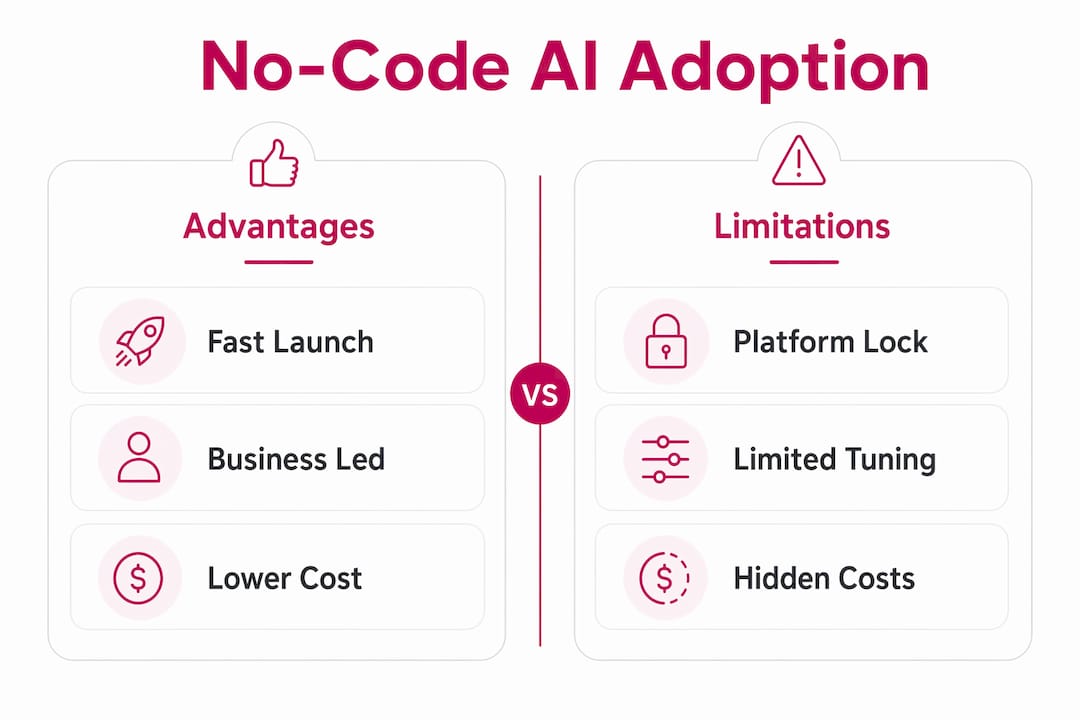
The limits are real, though. Platform lock-in accumulates quietly, fine-grained model tuning isn’t available, and prompt and logic maintenance replaces code maintenance as the ongoing operational cost. Neither disappears; it just changes shape.
| Dimension | No-code AI | Custom engineering |
|---|---|---|
| Time-to-launch | Days to weeks | Months |
| Governance & access controls | Platform-native, limited depth | Fully custom |
| Integration ecosystem | Prebuilt connectors, some gaps | Any system, full control |
| Cost visibility | Dashboard-level, per-team | Requires custom instrumentation |
| Enterprise SLAs | Vendor-dependent | Negotiable |
| Privacy / compliance | Varies; check encryption and PII handling | Fully configurable |
When should you choose no-code AI over custom engineering?
Pick no-code for well-scoped, repeatable, low-to-medium complexity workflows where speed to ROI is the priority. Reserve custom engineering for high-performance, deeply regulated, or core-system integrations where latency, data residency, or proprietary model requirements are non-negotiable.
Business signals that favor no-code: clear outcome, repeatable inputs, non-technical owner, limited performance constraints, and a need to prove ROI in under 60 days. Signals that need engineering: sub-100ms latency requirements, regulated data that can’t leave a specific environment, or deep integration with a proprietary core system.
How to run an enterprise no-code AI pilot, step by step
Assign four roles before anything else: a business owner (defines the outcome), a platform owner (manages the tool), a security/IT owner (controls access and data), and a data steward (owns the knowledge base and PII rules).
| Role | Owner | Primary responsibility |
|---|---|---|
| Business owner | Functional lead | Define use case, acceptance criteria |
| Platform owner | IT or ops | Tool setup, integrations, audit logs |
| Security/IT owner | CISO or IT lead | Access controls, encryption, compliance |
| Data steward | Data or legal team | PII handling, knowledge base governance |
- Define the use case (Day 1–2): Pick one messy, repeatable workflow. Write the expected input, output, and success criteria before touching any tool.
- Gather and structure data (Day 2–5): Compile 5–10 real examples from production. Clean PII before ingestion.
- Select the platform (Day 3–5): Evaluate against the criteria in Section 8. Confirm encryption, audit logs, and model routing.
- Build the agent (Week 1–2): Use the visual builder to wire the workflow. Set up human-in-the-loop checkpoints for any output that triggers a consequential action.
- Test with real inputs (Week 2): Run all 5–10 examples. Define rollback rules: if error rate exceeds your acceptance threshold, freeze deployment.
- Deploy to a limited group (Week 3): Pilot with one team. Track adoption rate, cost per outcome, and hallucination rate daily.
- Review and gate (Week 4–6): Hold a structured review. Scale only if adoption and accuracy meet the criteria set in Step 1.
- Govern and monitor (Ongoing): Assign prompt maintenance ownership. Set automated alerts for model drift and spend spikes.
Pro Tip: Test with AI agents built for enterprise productivity before committing to a platform. Running your actual use case through a real agent in a sandbox reveals integration gaps that demos never show.
What governance and hidden costs does no-code AI actually create?
The biggest governance risks are shadow AI deployments, uncontrolled data access, and no centralized tracking of what’s running or what it costs. These aren’t hypothetical. Practitioners report that teams rapidly produce useful automations that create shadow data flows and security risk when no governance structure exists.
Essential guardrails before any wide rollout:
- Centralized catalog of every deployed agent, with owner and data classification
- Prompt-testing framework with versioned prompts and regression tests
- API-access controls scoped to minimum necessary permissions
- Audit logs retained per your data retention policy
- Role-based access so only authorized users can deploy or modify agents
- Automatic PII stripping and data minimization before any data reaches a model
Operational costs that rarely appear in vendor pricing: prompt and logic maintenance as models update, human-in-the-loop review time for critical workflows, and monitoring to catch hallucinations before they reach customers.
For U.S. enterprises, the security and compliance checklist covers encryption at rest and in transit, contractual model-use restrictions (confirm your vendor’s data isn’t used for model training), PII handling under applicable state privacy laws, and GDPR compliance for any data touching EU subjects.
Pro Tip: Treat your no-code environment as a curated agent marketplace with an approval workflow. Every new agent requires a named owner, a data classification, and a security sign-off before it goes live. This single control prevents most shadow AI problems.
How do you measure adoption and ROI from a no-code AI program?
Track four things: active usage by team, cost per outcome, business outcome lift, and model spend allocation. Without all four, you’re flying blind on at least one dimension.
| Metric | Definition | Owner |
|---|---|---|
| Active users (weekly) | Unique users who ran at least one agent interaction | Platform owner |
| Cost per outcome | Total model spend / number of completed workflow outcomes | Finance + platform owner |
| Hallucination / error rate | % of outputs flagged by human reviewers or automated checks | Business owner |
| Time saved per user | Self-reported or system-measured minutes saved per week | Business owner |
| Spend by team | Model API cost allocated to each department | Finance |
Configurato by Tekkr maps raw tool usage across Claude, Gemini, and other models directly to spend by team, surfaces which use cases are generating value, and supports gamified rollouts with leaderboards and company-wide AI playbooks. Executives get a usage heatmap, spend-by-team breakdown, and alerts for drift or spend spikes. Platform owners see top-performing agents and adoption trends by department.
How do you evaluate and score a no-code AI platform?
The single most important axis is outcome enablement plus governance. A platform that makes it easy to build but impossible to govern will cost more to fix than it saved to deploy.
| Dimension | What to assess | Weight |
|---|---|---|
| Ease of use / time-to-launch | Time from signup to working prototype | High |
| Governance & access controls | Role-based access, audit logs, agent catalog | High |
| Integration ecosystem | Native connectors to your existing stack | Medium |
| Cost & spend visibility | Per-team cost allocation, spend dashboards | High |
| Vendor support / SLAs | Response time, uptime guarantee, escalation path | Medium |
| Privacy / compliance | Encryption, PII handling, data isolation, no-training clause | High |
Ten questions to ask in any vendor demo:
- Can developers inject Python or SQL when a workflow outgrows the visual builder (code-escape)?
- Are audit logs available, exportable, and retained for how long?
- How does the platform route between models, and can we control that routing?
- Is private deployment or on-premises hosting available?
- How is our data isolated from other tenants and from model training?
- What happens to our prompts and outputs after execution?
- How are model updates handled, and do we get regression testing tools?
- What are the SLA terms for enterprise tiers?
- How is spend tracked and allocated by team or department?
- What’s the process for revoking access to a deployed agent immediately?
Tools like Spark Concept illustrate how drag-and-drop builders and natural-language prompts combine in practice, which is useful context when evaluating what “no-code” actually means across different vendors.
What are the red flags when a no-code AI rollout is failing?
Red flags to watch for: shadow deployments appearing outside the approved catalog, unexplained spend spikes with no corresponding output increase, data exfiltration paths that bypass your DLP controls, frequent hallucinations on previously stable workflows, and missed SLAs on agent-dependent processes.
- Revoke API scopes immediately for any agent showing anomalous behavior. Don’t wait for a root-cause analysis.
- Add a temporary human-review gate on all outputs from the affected workflow until the issue is isolated.
- Freeze new deployments in the platform catalog until the audit is complete.
- Run a prompt audit: compare current prompt versions against the last known-good version and identify what changed.
- Check for model updates: if the underlying LLM was updated, run your regression test suite against the new version.
- Reindex the knowledge base if retrieval accuracy has dropped, especially after document updates.
- Escalate to engineering if the root cause is a data model problem, a permissions gap, or a latency issue the platform can’t resolve. That’s the graduation signal, not a failure.
Key Takeaways
No-code AI setup delivers fast ROI for enterprise teams when governance, role ownership, and measurement are in place from day one.
| Point | Details |
|---|---|
| Start with agentization | Target messy, repeatable workflows where a decision plus an action can be automated, not just a chatbot. |
| Governance before scale | Deploy a centralized agent catalog, prompt-testing framework, and API-access controls before wide rollout. |
| Measure adoption and spend | Track active users, cost per outcome, and spend by team weekly; usage without outcomes is wasted budget. |
| Know the graduation signals | Replatform to custom engineering when scale, latency, data residency, or proprietary model needs exceed the platform. |
| Use Tekkr’s Configurato | Configurato maps Claude and Gemini usage to team-level spend and drives adoption through gamified playbooks, with a 10-minute setup and a free tier. |
The gap between deploying AI and actually using it
Most enterprises have already bought the AI. The harder problem is proving it’s working. No-code setups close the deployment gap fast, but they open a different one: without centralized tracking, you end up with a dozen agents running across departments, no clear owner, and a finance team that can’t explain the model spend line item.
The leaders who get this right treat no-code AI as a governed program, not a self-service free-for-all. They assign owners, require audit logs, and measure adoption the same way they’d measure any other operational investment. The technology is genuinely accessible now. The discipline around it is still the differentiator.
One action worth mandating this week: assign a named platform owner and require that every new agent deployment goes through a two-step approval, one from the business owner and one from IT. That single control catches most governance failures before they compound.
Tekkr’s Configurato gives you visibility from day one
Most no-code AI programs stall not because the technology fails but because no one can answer the CFO’s question: “What are we actually getting for this spend?” Configurato answers that question directly. It tracks who’s using Claude, Gemini, and other models across your organization, breaks costs down by team, surfaces which use cases are generating real output, and drives adoption through gamified leaderboards and company-wide AI playbooks.
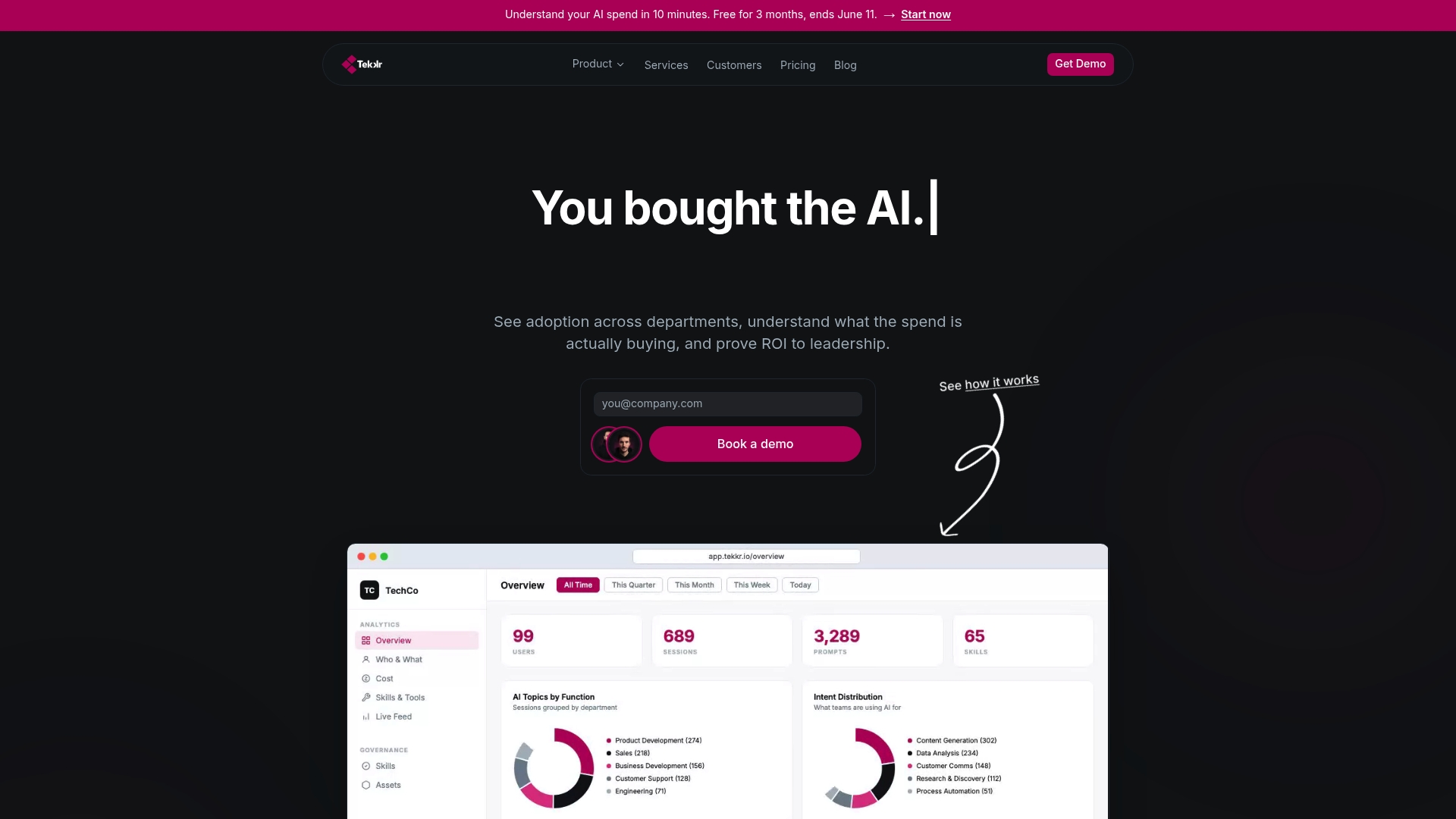
Setup takes about 10 minutes. The architecture is end-to-end encrypted, GDPR-compliant, and strips PII automatically, with no browser extensions required. For enterprises that need hands-on support, Tekkr’s consulting team covers rollout strategy and governance design. There’s a free tier to start with, no credit card needed.
Start measuring your AI adoption today, or explore Configurato’s adoption features to see how spend visibility and enablement work together.