
What is AI onboarding for employees?
AI onboarding for employees is the use of machine learning, large language models, and intelligent workflow orchestration to automate, personalize, and coordinate every stage of the new hire journey, from offer acceptance through the first 90 days. It is not a smarter checklist. It is an adaptive system that reads role data, triggers cross-functional tasks, answers questions in natural language, and adjusts the experience in real time based on what each hire actually needs.
The core components:
- Task automation: Account creation, document collection, and access provisioning run without manual handoffs
- Personalized guidance: Content adapts by role, location, tenure, and experience level
- 24/7 conversational support: New hires get answers at any hour without pinging HR or a manager
- Workflow orchestration: The AI coordinates HR, IT, and compliance steps in the right sequence
- HRIS integration: The AI layer reads from and writes back to your existing system of record without replacing it
The distinction that matters most: AI onboarding acts as an orchestration layer above your HRIS, not a replacement for it.
Table of Contents
- How AI onboarding differs from traditional onboarding methods
- Why AI onboarding delivers real advantages in enterprise environments
- Common mistakes enterprises make when adopting AI onboarding
- Best practices for implementing AI onboarding effectively
- How managers’ roles shift inside AI-assisted onboarding
- How Tekkr Configurato approaches AI onboarding and adoption
- TL;DR: What you need to know about AI onboarding
- How to implement AI onboarding step by step
- What KPIs actually measure AI onboarding effectiveness
- How AI personalizes training content for each new hire
- How to address employee resistance during AI onboarding
- Key Takeaways
- Tekkr gives you visibility into whether AI onboarding is actually working
How AI onboarding differs from traditional onboarding methods
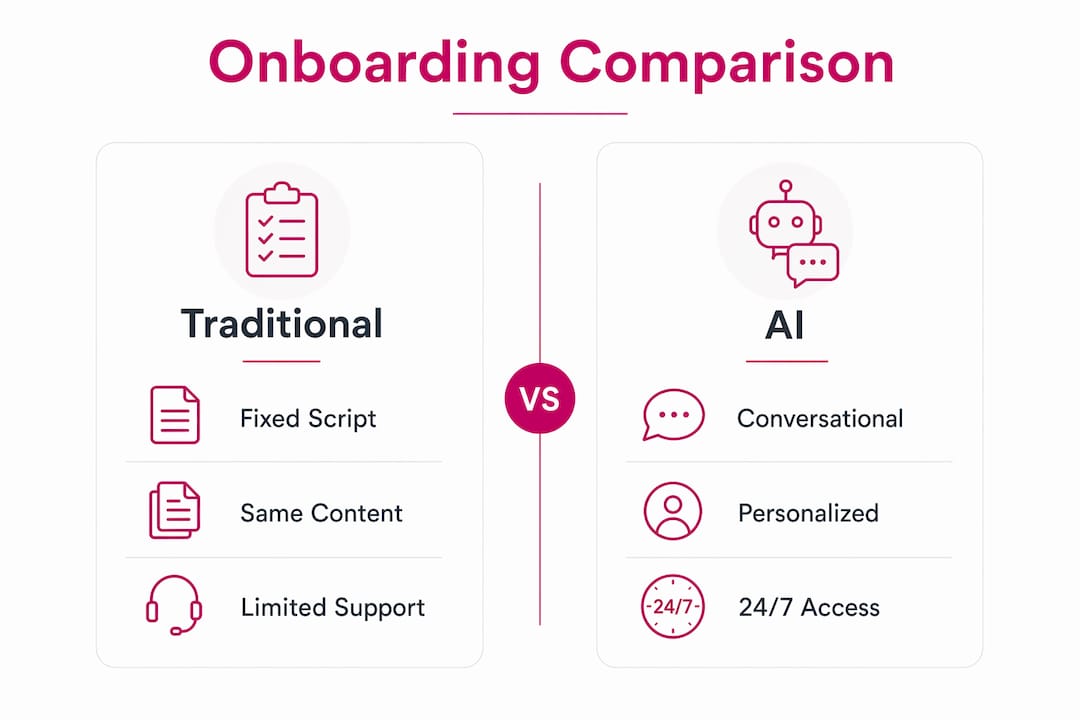
Traditional onboarding software digitizes paperwork and runs a fixed script. Every hire gets the same sequence, the same training videos, and the same 90-day schedule regardless of role or experience. A senior engineering manager and a junior marketing coordinator follow identical paths. That has never made sense.
AI onboarding is conversational, omni-available, and personal, which measurably increases completion rates on culture and policy tasks that text-heavy static flows consistently fail to close. A night-shift warehouse hire and a Series A engineer in San Francisco get the same quality experience on day one, in their own language, on their own schedule.

| Dimension | Traditional onboarding | AI onboarding |
|---|---|---|
| Content delivery | Same materials for all hires | Personalized by role, level, location |
| New hire support | Business hours only | 24/7 natural-language Q&A |
| Task coordination | Email reminders, manual follow-up | Cross-system orchestration, auto-escalation |
| Personalization | One workflow for all | Role, department, and tenure-aware journeys |
| Compliance | Manual document collection | Automated capture with continuous audit trail |
| Scalability | HR bottlenecks at high volume | Consistent experience for any number of hires |
Pro Tip: Before selecting a platform, disable its AI features and see what remains. If the product still works as a functional tour or checklist, you have an AI-enabled retrofit, not an AI-native tool. AI-native platforms stop working without the AI because the conversation is the interface.
Why AI onboarding delivers real advantages in enterprise environments
Speed to productivity is the most direct payoff. AI automates repetitive workflows like account creation, document collection, and access provisioning, so new hires arrive on Day 1 with their tools already configured rather than waiting three days for IT tickets to clear.
The operational benefits compound quickly:
- Reduced HR interruptions: AI-powered onboarding assistants provide 24/7 natural language support, handling the 80% of first-week questions that repeat across every hire
- Multi-location scaling: A single AI layer delivers localized benefits information, regional compliance training, and timezone-adjusted schedules without additional HR headcount
- Fewer manual errors: Automated workflow triggers replace the spreadsheet tracking that causes missed steps and compliance gaps
- Better engagement: New hires who get role-specific content and instant answers feel less lost, which directly affects 90-day retention
Remote and hybrid teams benefit disproportionately. Without proximity to colleagues, remote hires depend entirely on structured digital support. AI onboarding fills that gap in a way static portals never could. Pairing this with digital signatures for document collection removes one of the last manual bottlenecks in the pre-boarding phase.
Common mistakes enterprises make when adopting AI onboarding
The most expensive mistake is buying an AI-enabled checklist bot and calling it AI onboarding. These tools bolt a chatbot onto a legacy workflow engine. The architecture is unchanged, the personalization is rule-based, and the AI disappears the moment you need it to handle anything outside its scripted tree.
Other pitfalls that consistently derail implementations:
- Over-automating human touchpoints: Replacing manager check-ins with automated nudges hurts retention. New hires notice when nobody real shows up
- Skipping HRIS integration: An AI layer that cannot read role metadata or write completion signals back to your system of record creates a parallel data problem, not a solution
- Ignoring the knowledge layer: The AI needs to be grounded in your actual documents, with sources visible to the user. An agent that answers from its own training data rather than your real policies is a liability
- Treating implementation as a one-time event: AI onboarding improves when the gaps it surfaces, questions it cannot answer, tasks that stall, feed back into content and workflow updates
Pro Tip: Deploy AI to offload low-value repetitive tasks only. Benefits FAQs, IT provisioning status, compliance document reminders — these belong to the AI. First-week relationship conversations, performance context, and cultural nuance belong to the manager.
Best practices for implementing AI onboarding effectively
Start with clean data. AI onboarding personalizes journeys from role and department metadata in your HRIS. If that data is inconsistent or incomplete, the personalization fails before it starts. Audit your role definitions and process documentation before selecting a platform.
Key practices that separate successful rollouts from stalled ones:
- Choose AI-native over AI-enabled: Platforms built around conversational AI as the primary interface outperform retrofitted tour engines on every personalization dimension
- Integrate tightly with HRIS and IT systems: The AI should read role metadata, trigger provisioning workflows, and write completion signals back without requiring manual synchronization
- Run a dual system: AI handles frequency, humans handle depth. Most successful programs keep both running in parallel rather than trying to replace one with the other
- Use feedback loops: Track which questions the AI cannot answer and which tasks consistently stall. That data is your content improvement roadmap
- Train managers on their new role: When AI absorbs the administrative load, managers need to know what high-value interactions look like and how to show up for them
For a practical framework on rolling out AI tools across teams, the sequencing matters as much as the platform choice.
Pro Tip: Roll out incrementally. Start with your highest-volume hire cohort, measure time-to-productivity and HR ticket volume at 30 and 60 days, then expand. Trying to deploy enterprise-wide on day one without KPI baselines makes it impossible to know what is working.
How managers’ roles shift inside AI-assisted onboarding
AI does not replace human judgment. It removes the administrative overhead that prevents managers from exercising it. When an AI handles benefit FAQs, IT provisioning status, and compliance reminders, a manager’s first conversation with a new hire can be about actual work, context, and career, not “did you get your laptop set up?”
The complementary roles look like this:
| AI handles | Manager handles |
|---|---|
| Policy and benefits questions | Cultural context and team dynamics |
| IT provisioning and access requests | Performance expectations and coaching |
| Compliance document reminders | Sensitive conversations and feedback |
| Progress tracking and risk flags | Relationship building and retention |
| Scheduling and logistics | Strategic mentoring and career guidance |
Managers remain the primary driver of retention. AI surfaces the risk signals, like missed check-ins or stalled progress, but acting on them is a human job. The goal is not to automate the manager out of onboarding. It is to give managers back the time to actually do the parts that matter. For a deeper look at employee AI engagement post-onboarding, the dynamic continues well past Day 90.
How Tekkr Configurato approaches AI onboarding and adoption
Most AI onboarding conversations stop at the new hire experience. Tekkr’s Configurato addresses the problem that comes next: you rolled out AI tools, but you cannot tell who is actually using them, which teams are getting value, or where adoption has stalled.
Configurato tracks AI adoption, productivity metrics, and spend across an organization, then actively drives adoption higher through gamified rollouts and company-wide AI playbooks. It shows which tools like Claude or Codex are being used, breaks down costs by team, and surfaces use-case intelligence so managers know where to focus.
Key capabilities:
- Adoption visibility: Real-time tracking of who is using which AI tools and how
- Gamified rollouts: Structured engagement mechanics that make AI adoption feel like progress, not compliance
- Privacy-first architecture: End-to-end encrypted, GDPR-compliant, with automatic PII stripping and no browser extensions required
- Fast setup: About 10 minutes to configure, with a free tier and no credit card required
- AI playbooks: Company-wide guidance that helps teams use AI tools well, not just install them
The gap Configurato fills is the one most enterprises discover six months after their AI rollout: the tools are licensed, the onboarding is done, and nobody can prove the investment is working.
TL;DR: What you need to know about AI onboarding
For managers who need the short version:
- AI onboarding automates and personalizes the new hire journey using machine learning, LLMs, and workflow orchestration, adapting in real time to each hire’s role and context
- It differs from traditional onboarding by being conversational, always available, and genuinely adaptive rather than running a fixed script for every hire
- The core benefits are faster time to productivity, reduced HR administrative load, and better new hire engagement, particularly for remote and distributed teams
- Success depends on integration: The AI layer must connect to your HRIS and knowledge base to deliver real personalization, not just a smarter checklist
- Human managers remain critical for coaching, retention, and the interactions that require judgment
- Tekkr Configurato extends AI onboarding into ongoing adoption measurement, so you can prove the tools you deployed are actually being used
How to implement AI onboarding step by step
Implementation works best as a phased process rather than a full deployment on day one.
Phase 1: Audit and prepare. Clean your HRIS role data and document your top 50–100 onboarding questions. These become the knowledge base the AI draws from. Gaps here become gaps in the AI’s answers.
Phase 2: Select and integrate. Choose an AI-native platform and connect it to your HRIS via API. Confirm it can read role metadata, trigger provisioning workflows, and write completion signals back without manual synchronization.
Phase 3: Pilot with one cohort. Run a single hire group through the AI-assisted process. Measure HR ticket volume, task completion rates, and time-to-productivity at 30 and 60 days against your baseline.
Phase 4: Refine and expand. Use the questions the AI could not answer and the tasks that stalled as your content improvement list. Then expand to additional cohorts with updated benchmarks.
What KPIs actually measure AI onboarding effectiveness
Completion rates and satisfaction scores are table stakes. The metrics that tell you whether AI onboarding is working at an enterprise level go deeper:
- Time-to-productivity: How many days until a new hire reaches defined performance benchmarks, compared to pre-AI baseline
- HR ticket volume: Track the reduction in repetitive questions handled by HR staff at 30 and 60 days
- Task completion rate by stage: Which onboarding steps are completing on time versus stalling, and where the AI is not providing enough support
- Manager time recovered: Hours per hire that managers previously spent on administrative coordination
- 90-day retention rate: The downstream measure that reflects whether onboarding actually worked
Connecting these KPIs to AI adoption best practices across the organization gives you a fuller picture of where the investment is paying off.
How AI personalizes training content for each new hire
Generic training is one of the most consistent complaints from new hires in post-onboarding surveys. An experienced engineer who already knows your tech stack should not sit through basic tool tutorials. A new sales rep in a different region needs territory-specific content, not the same deck as a rep in headquarters.
AI personalizes training content by analyzing the hire’s profile: role, level, department, location, prior experience, and observed progress. A data scientist gets Python environment setup guides. A remote employee gets virtual meeting protocols and home office setup resources. An experienced hire who completes foundational modules quickly gets accelerated to company-specific processes rather than waiting out a fixed timeline.
The AI also adapts in real time. If a hire skips a module, the system flags it. If they complete tasks ahead of schedule, the content accelerates. This is the difference between a learning path and a learning system.
How to address employee resistance during AI onboarding
Resistance to AI onboarding usually comes from one of two places: concern about surveillance, or frustration with a system that feels impersonal. Both are legitimate and both are addressable.
On the surveillance concern, transparency is the answer. Explain clearly what the AI tracks, what it does not, and who sees the data. Platforms with privacy-first architecture, like Configurato’s end-to-end encryption and automatic PII stripping, give you something concrete to point to rather than a policy document.
On the impersonal concern, the fix is design, not messaging. An AI that answers in natural language, grounds its responses in real company documents with visible sources, and routes to a human when it is uncertain feels like a useful colleague. An AI that returns scripted responses to questions it barely understood feels like a wall. The difference is architecture, and it is why the AI-native versus AI-enabled distinction matters so much in practice.
Key Takeaways
Effective AI onboarding combines AI-native platforms, tight HRIS integration, and preserved human manager involvement to deliver faster productivity and measurably lower HR overhead.
| Point | Details |
|---|---|
| AI-native vs. AI-enabled | Disable the AI features: if the product still works as a tour, it is a retrofit, not a true AI-native platform. |
| HRIS integration is non-negotiable | The AI layer must read role metadata and write completion signals back to keep your system of record authoritative. |
| Managers stay essential | AI handles administrative frequency; managers handle coaching, retention, and judgment-heavy conversations. |
| KPIs beyond completion rates | Track time-to-productivity, HR ticket reduction, and 90-day retention to measure real onboarding impact. |
| Tekkr Configurato | Tracks AI tool adoption and spend post-onboarding, with gamified rollouts and AI playbooks to prove ROI. |
Tekkr gives you visibility into whether AI onboarding is actually working
Most platforms tell you onboarding is complete. Tekkr’s Configurato tells you whether employees are actually using the AI tools they were onboarded to, which teams have adopted them, and where productivity gains are real versus theoretical.
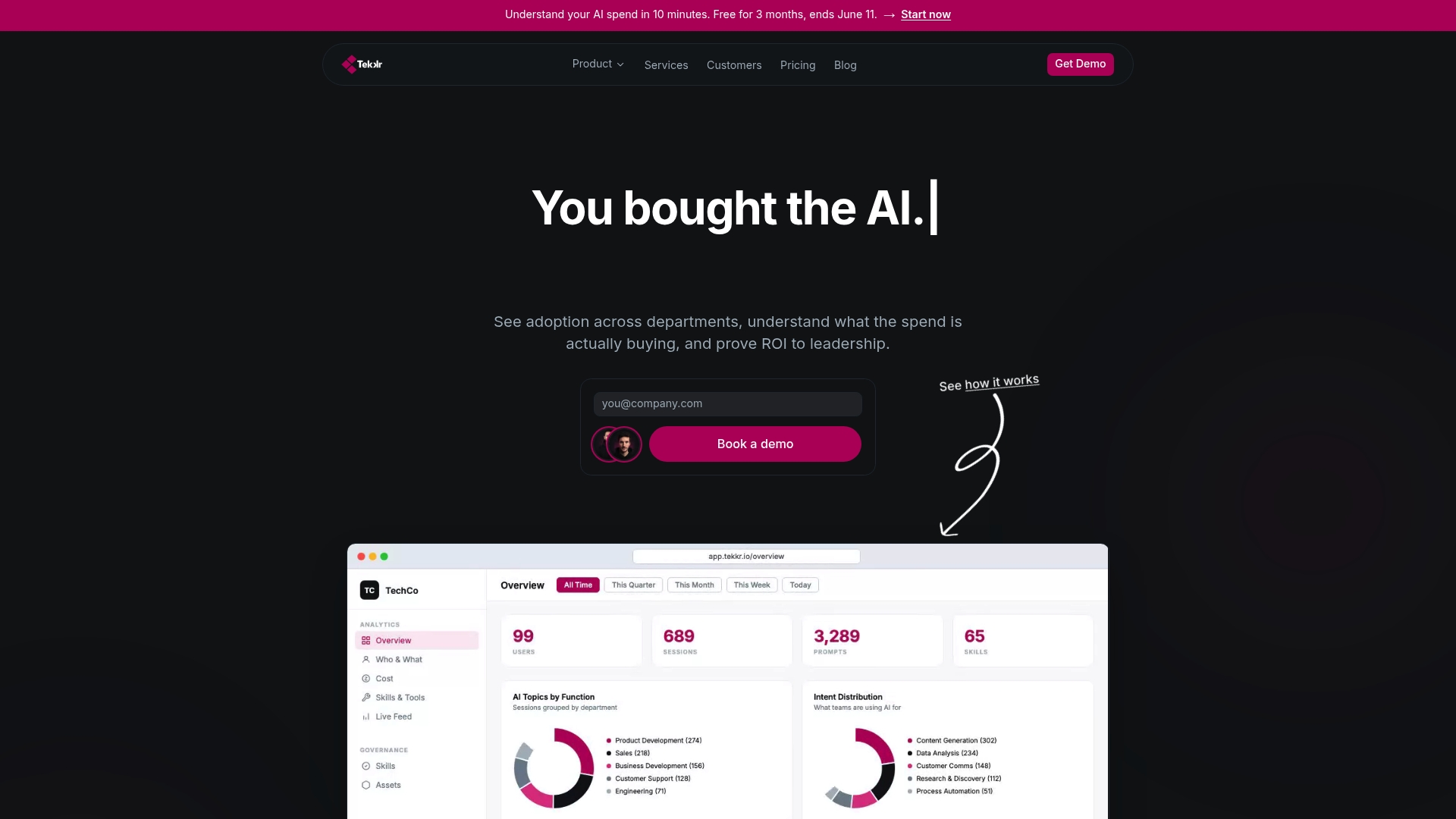
That is the gap most enterprises hit six months after a rollout. The licenses are paid, the onboarding is done, and nobody can answer the question the CFO is asking. Configurato surfaces adoption by tool, by team, and by use case, with gamified rollouts and AI playbooks that keep engagement from dropping off after Day 90. Setup takes about 10 minutes, there is a free tier, and no credit card is required to start.
If you have already bought the AI, the next step is proving it is working. See how Configurato does that for enterprise teams.