
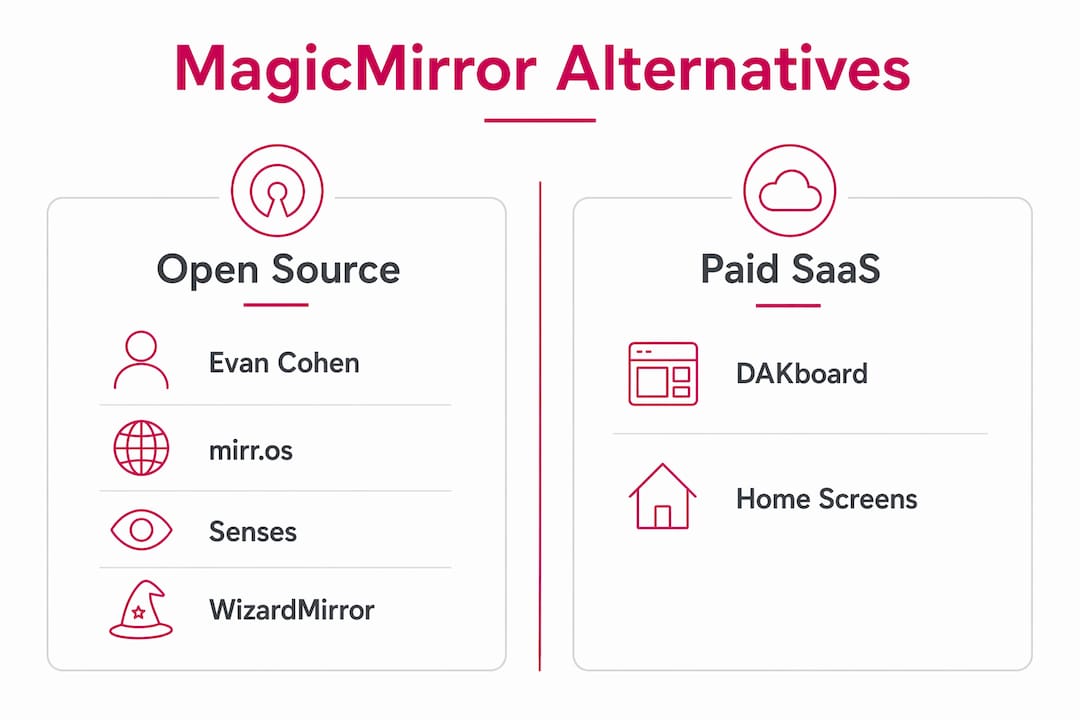
If you already know MagicMirror and want to see what else is out there, the short answer is: quite a bit. The main magicmirror.team alternatives worth your time are Evan Cohen Smart Mirror, DAKboard, mirr.os, Senses, WizardMirror, and Home Screens. Each takes a different approach to the same core problem: putting useful information on a screen without requiring you to babysit it.
Here is a quick orientation before the details:
- Evan Cohen Smart Mirror — open source, JavaScript-based, community-driven, Raspberry Pi compatible
- DAKboard — commercial SaaS, subscription pricing, built for corporate info displays and facility use
- mirr.os — open source with a browser-based visual interface, lower setup friction than MagicMirror
- Senses — open source, pre-built widgets, PWA mobile config app, voice control in beta
- WizardMirror — lightweight, native SDL engine in Zig, no Chromium, built for low-power hardware
- Home Screens — open source, modules, drag-and-drop browser editor, fully local, no accounts required
Licensing splits roughly into two camps: open-source local solutions (Evan Cohen, mirr.os, Senses, WizardMirror, Home Screens) and commercial SaaS (DAKboard). MagicMirror itself is free and open source, maintained by a large volunteer community, and remains the benchmark everything else gets measured against.
What makes each MagicMirror alternative worth considering?
Evan Cohen Smart Mirror
Evan Cohen’s project is the closest spiritual sibling to MagicMirror. It is open source, runs on Node.js, and targets Raspberry Pi setups. The community is smaller than MagicMirror’s, but the codebase is clean and well-documented enough for developers who want to fork and extend it. If you are comfortable in JavaScript and want a starting point that does not carry MagicMirror’s full module ecosystem weight, this fits. It works on standard Pi hardware without special configuration.
DAKboard
DAKboard is the outlier in this list. It is a paid SaaS product aimed squarely at corporate lobbies, conference rooms, and facility management use cases rather than hobbyist mirrors. You get a polished web-based editor, remote management across multiple screens, and reliable uptime backed by a commercial support team. The trade-off is obvious: you pay a monthly subscription, your display depends on their servers, and customization stays within what their platform allows. For a DIY enthusiast, that is usually a dealbreaker. For a facilities manager who needs 20 screens updated centrally without touching a terminal, it is often the right call.
mirr.os
mirr.os sits between MagicMirror and DAKboard in terms of user experience. It is open source but ships with a browser-based configuration interface, which means you are not editing JSON files to add a weather widget. Setup is faster than MagicMirror for users who are not developers. The module selection is narrower than MagicMirror’s, and the project’s community activity has been quieter in recent years, so check the repository before committing to it for a long-term installation.
Senses
Senses is one of the more polished open-source options available. Its mobile PWA lets you drag and drop widgets, switch profiles, and manage your display from any phone on the same network, no SSH session required. The voice control module is still in beta but already handles commands like turning the mirror on, hiding widgets, and adding to-do items. Community-built widgets extend the base set beyond the included options. Senses runs well on a Raspberry Pi 3 or newer and is a strong pick for anyone who wants a clean, modern interface without writing custom code.
Pro Tip: Before installing Senses, confirm your Pi model supports the PWA app’s local network requirements. A Pi Zero W can run the display, but the configuration app performs better when the Pi has a stable Wi-Fi connection rather than a wired-only setup.
WizardMirror
WizardMirror takes the most technically distinct approach of any option here. Instead of wrapping a Chromium browser the way MagicMirror does with Electron, WizardMirror uses a native SDL rendering engine written in Zig, with libcurl for networking and libxml2 for RSS parsing. The result is a display that runs noticeably faster on low-power hardware like a Raspberry Pi Zero. The project is still early-stage, with most development currently focused on the core engine rather than a wide widget library. If you are a developer who wants to contribute to something genuinely new, or if you have a Pi Zero gathering dust, WizardMirror is worth watching closely.
Home Screens
Home Screens is the most feature-complete no-code option in this group. It offers modules, a fully browser-based drag-and-drop editor, and zero cloud dependency. Everything runs on your local network. There are no accounts to create, no personal data leaving your home, and no subscription fees. OTA updates, scheduling, and remote control all work through the browser interface. For a DIY builder who wants MagicMirror-level depth without MagicMirror-level configuration complexity, Home Screens is currently the strongest alternative.
How to choose the right smart display software for your setup
The decision comes down to four factors: your hardware, your technical comfort level, whether you need cloud management, and how much you care about long-term community support.
- Hardware first. A Raspberry Pi Zero or Zero 2 W needs a lightweight engine. WizardMirror or a minimal Senses install will outperform anything Chromium-based on that hardware. A Pi 4 or a small PC handles MagicMirror, Home Screens, or Senses without strain. Mismatched software and hardware is the most common reason smart mirror projects stall after the first week.
- Technical comfort. If you are happy editing config files and running npm commands, MagicMirror or Evan Cohen give you the most control. If you want to be done in an afternoon, Home Screens or Senses get you there faster.
- Cloud vs. local. Local-only operation keeps your display running during internet outages and eliminates subscription risk. DAKboard is the only option here that requires cloud connectivity. Every other alternative on this list can run entirely on your local network.
- Community and longevity. MagicMirror has the largest and most active community by a wide margin, with a well-documented module API that has attracted years of third-party contributions. Senses and Home Screens have smaller but active communities. WizardMirror is new enough that community support is still forming.
Pro Tip: Check the GitHub repository’s commit history and open issue count before picking a platform. A project with no commits in 18 months and hundreds of unresolved issues is a maintenance burden, not a foundation.
For facility managers specifically, the choice often narrows to DAKboard for multi-screen remote management or Home Screens for a privacy-first, self-hosted alternative that still offers browser-based control. For DIY builders, no-code configuration options like Home Screens and Senses have made the barrier to entry far lower than it was even two years ago.
Where smart display software is heading in 2026
The clearest trend across all active smart mirror projects is the move away from text-based configuration toward browser-based drag-and-drop editors. What used to require editing a JSON config file and restarting a service now happens in a visual interface on your phone. Home Screens and Senses both demonstrate this shift clearly. The practical effect is that the audience for these tools has expanded well beyond developers.
Privacy is the second major theme. Local-only operation, with no accounts and no data leaving your network, has moved from a niche preference to a design goal for newer projects. Home Screens explicitly commits to no personal data collection. WizardMirror’s architecture avoids a browser runtime entirely, reducing the attack surface further.
The third shift is performance optimization for constrained hardware. Chromium-based displays consume memory that a Pi Zero simply does not have. WizardMirror’s native Zig engine addresses this directly, and it signals where the performance-focused corner of this ecosystem is going.
Tekkr’s Configurato: AI productivity for tech-forward teams
Smart display software solves one problem well: getting information onto a screen. If your organization is also trying to figure out whether its AI tools are actually being used, and whether they are paying off, that is a different challenge entirely.
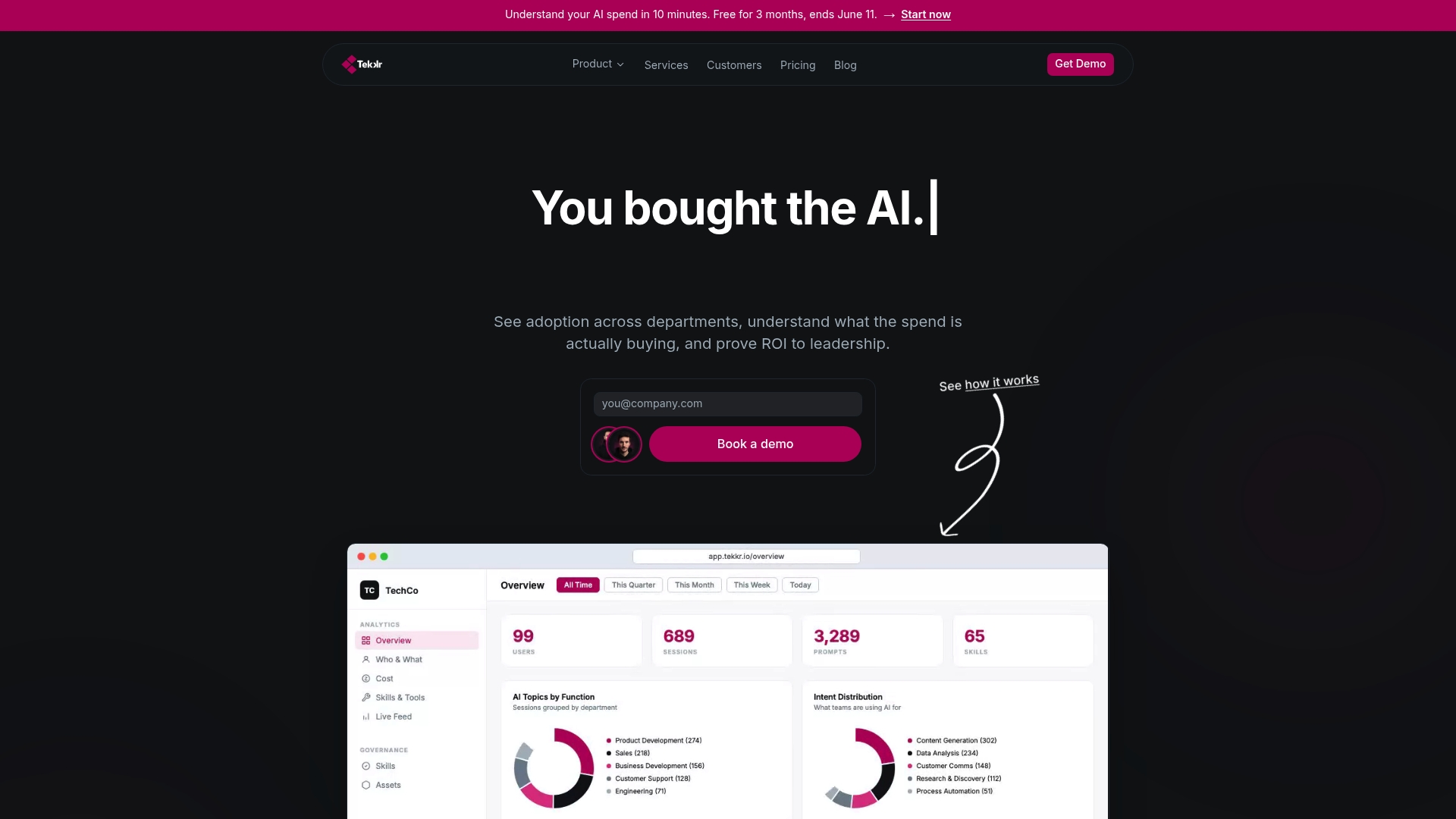
Tekkr’s Configurato platform measures AI adoption across your organization, breaks down spending by team, and actively drives usage higher through gamified rollouts and company-wide AI playbooks. It tracks real usage of tools like Claude and Codex, strips PII automatically, and runs in a privacy-first, end-to-end encrypted architecture with no browser extensions required. Setup takes about 10 minutes, there is a free tier and no credit card is needed to start. For tech teams who have bought AI tools and are not yet sure they are getting value from them, Configurato’s adoption tools answer that question with actual data.
Key Takeaways
The best MagicMirror alternative depends on your hardware, technical skill, and whether you need local control or cloud management.
| Point | Details |
|---|---|
| Open-source vs. SaaS | Most alternatives are open source and local; DAKboard is the main commercial SaaS option for facility use. |
| Hardware compatibility | Lightweight engines like WizardMirror’s Zig-based renderer suit low-power devices; heavier Chromium-based tools need a Pi 3 or better. |
| Ease of setup | Home Screens and Senses offer browser-based drag-and-drop editors that cut setup time significantly versus config-file platforms. |
| Community depth | MagicMirror has the largest contributor base and most mature module API; newer alternatives trade breadth for simpler interfaces. |
| Tekkr Configurato | For teams tracking AI tool adoption and ROI, Configurato offers privacy-first measurement and gamified rollouts with a free starting tier. |