
AI use case discovery is the structured process of finding, validating, and ranking the specific problems AI can actually solve inside your organization, rather than buying tools and hoping adoption follows. The fastest path is a focused one to two day discovery sprint built around six use-case primitives: content, research, coding, data analysis, ideation, and automations. Track what comes out of it with something like Tekkr, so every pilot has a measurable outcome attached from day one.
TL;DR:
- A focused discovery sprint, lasting one to two days, effectively identifies high-value AI use cases by mapping problems to one of six primitives rather than open-ended brainstorming.
- Prioritization of AI projects should involve a weighted scoring system based on impact, feasibility, data readiness, and risk to ensure quick, measurable wins.
- A feasibility check covering data access, sensitivity, structure, recency, and feedback loops is essential before committing engineering resources to an AI pilot.
- Scaling AI requires a structured roadmap balancing proven, adjacent, and experimental projects, with clear KPIs, baseline measurements, and regular tracking.
- Regular executive tracking of usage, costs, and adoption patterns through dedicated tools helps prevent unnoticed declines and demonstrates return on AI investments.
Table of Contents
- What Is AI Use Case Discovery, Exactly?
- How Do You Run an AI Use Case Discovery Workshop?
- How Do You Prioritize AI Use Cases?
- What Should You Check Before Building an AI Pilot?
- How Do You Turn Pilots Into a Scaled AI Roadmap?
- What Should Executives Track After a Pilot Launches?
- What Most Companies Get Wrong About AI Discovery
- Turn Discovery Into Proof With Tekkr
- Sources
What Is AI Use Case Discovery, Exactly?
Most companies get this backwards. They buy licenses for a large language model, roll it out company-wide, and then ask, “So what should people use this for?” That question, asked after the purchase, is exactly why OpenAI’s guide to identifying and scaling AI use cases breaks the problem into three deliberate steps: identify real opportunities, teach employees the underlying use-case primitives, then collect and prioritize what surfaces.
The term “AI use case discovery” itself is a bit of an industry shorthand. The more established discipline it borrows from is business process analysis paired with feasibility assessment, the same muscle consultants have used for decades to find automation candidates. What’s new is the vocabulary: instead of asking “what can we automate,” teams now ask “which of these six primitives fits this friction point?” Content generation, research and synthesis, coding assistance, data analysis, ideation, and workflow automation cover the overwhelming majority of high-value AI applications a typical enterprise will find. Curated use-case libraries with hundreds of documented examples are genuinely useful for inspiration here, but they’re a starting point, not a deployment plan. Every entry still needs a KPI and a data source before it becomes a real project.
How Do You Run an AI Use Case Discovery Workshop?
A single sprint, tightly scoped, beats months of open-ended brainstorming. Here’s the sequence that actually produces a prioritized backlog instead of a wish list.
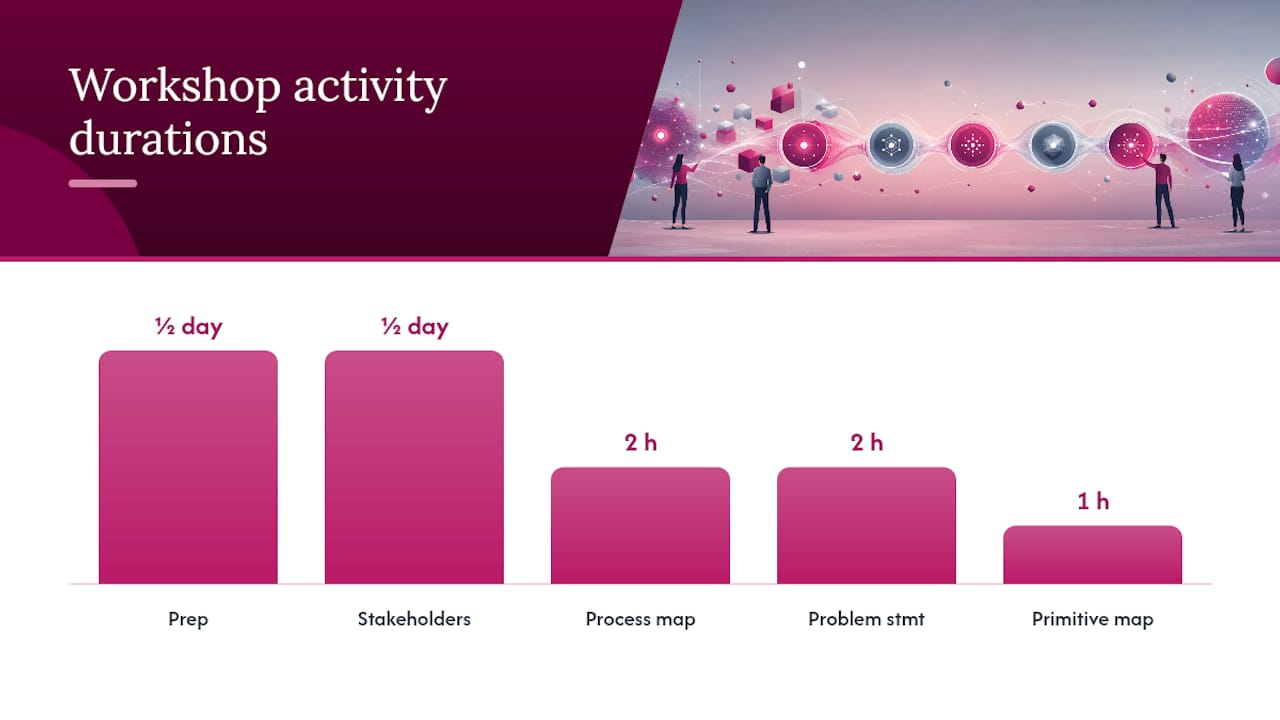
- Prep (half a day). Pull recent process documentation, support tickets, and any existing AI use case library entries relevant to your industry. Assign one owner per department who will attend.
- Stakeholder interviews (half a day). Thirty minutes per function. Ask what eats the most time, what gets done badly under deadline pressure, and what nobody wants to do.
- Process mapping (two hours). Walk the customer journey and the employee journey side by side. Friction shows up at handoffs almost every time.
- Friction to problem statements (two hours). Convert every complaint into a specific, measurable sentence: “Support agents spend a significant portion of a call searching multiple systems for account history,” not “our support tools are outdated.”
- Primitive mapping (one hour). Tag each problem statement against the six primitives and flag where data exhaust (logs, tickets, transcripts) or compliance reporting already exists as a shortcut.
Capture everything in a shared spreadsheet or a lightweight board tool. Assign a facilitator, a note taker, and a data owner for each candidate idea before the workshop ends.
Pro Tip: Run the friction interviews before you mention AI at all. Teams describe problems more honestly when they’re not trying to guess which answer sounds impressive to a machine.
How Do You Prioritize AI Use Cases?
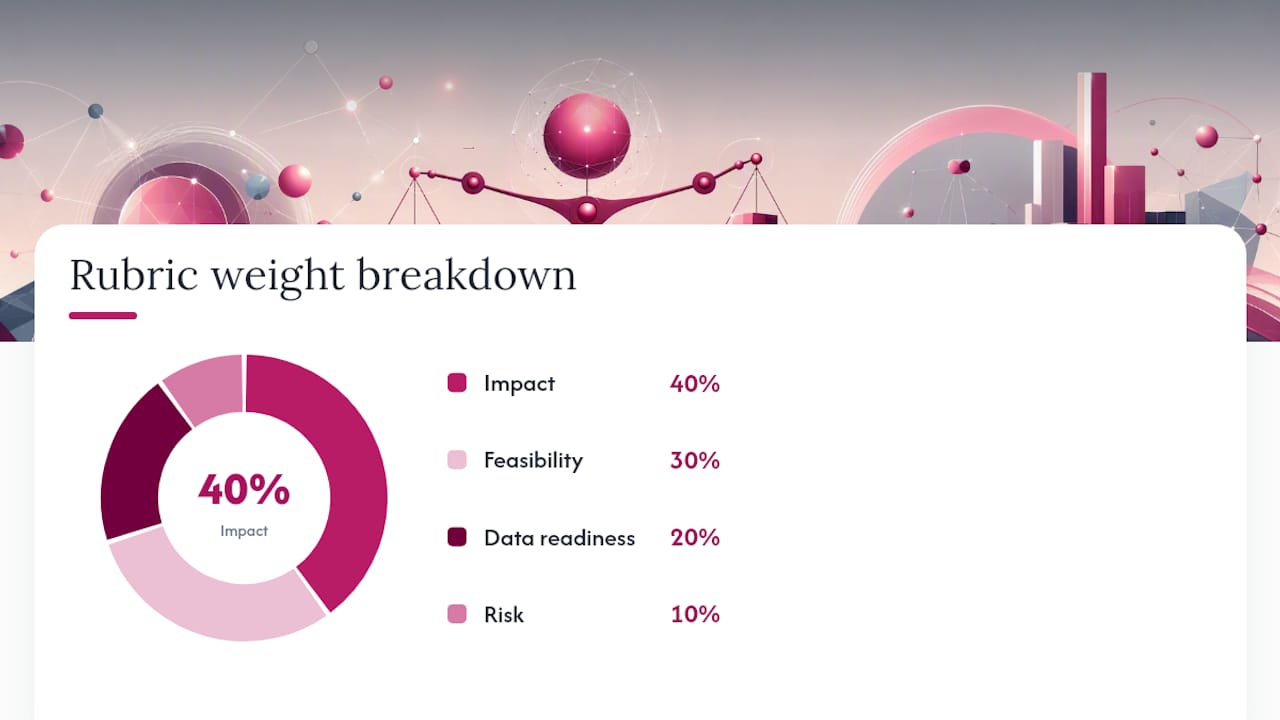
Once you have a list of candidates, resist the urge to build whatever excited the room most. Score everything on the same scale. A weighted rubric works better than gut instinct because it forces the same questions onto every idea:
- Impact (40%): revenue, cost, or time saved, scored 1 to 5
- Feasibility (30%): how much custom engineering or integration work is required
- Data readiness (20%): whether usable data already exists and is accessible
- Risk (10%): regulatory, reputational, or customer-facing exposure
Multiply each score by its weight and rank the totals. Then plot the top candidates on an impact/effort quadrant. The Impact/Effort framework is the standard practitioner tool for this step, and it exists for a reason: quick wins that land in a few months build the internal credibility that later unlocks budget for harder, slower projects.
A worked example: a mid-size logistics team scored “automated shipment status summaries for customer emails” at Impact 4, Feasibility 4, Data readiness 5, Risk 2. Weighted total: 3.9 out of 5. Compare that to “predictive maintenance for warehouse equipment,” which scored high on impact (5) but low on data readiness (2) because sensor data wasn’t centralized yet. Weighted total: 3.2. The email summarizer shipped first, not because it was more exciting, but because the math said so.
What Should You Check Before Building an AI Pilot?
Scoring an idea highly doesn’t mean it’s buildable this quarter. A feasibility check that includes a hard data-readiness gate can veto a great idea until access and governance problems are actually resolved, which HatchWorks’ framework for aligning use cases to strategy treats as a separate, non-negotiable filter rather than a subcategory of feasibility.
Run through this before committing engineering time:
- Source access. Who owns the system of record, and can you actually query it?
- Sensitivity. Does the data include PII, financial records, or health information that triggers compliance review?
- Structure. Is it structured data ready for a model, or unstructured text that needs cleanup first?
- Recency. Is the data current enough to reflect how the business actually runs today?
- Feedback loop. Can you capture outcomes to retrain or refine the model later?
Minimum viable datasets vary by primitive. A contact center agent assist tool typically needs six to twelve months of call transcripts to produce reliable suggestions; a document classifier can often work with a few hundred labeled examples. Whatever the primitive, thin-slice the pilot to one team, one workflow, and a 90-day window. Small, bounded pilots surface data problems fast, before they become expensive.
Pro Tip: If nobody in the room can name the data owner within thirty seconds, the idea isn’t ready for a pilot yet, no matter how high it scored.
How Do You Turn Pilots Into a Scaled AI Roadmap?
This 60/30/10 structure keeps the roadmap from tilting entirely toward flashy, high-risk projects that look good in a board deck but rarely ship.
- Core (60%): proven primitives like document summarization or coding assistance, scaled across more teams
- Adjacent (30%): extensions of working pilots into new departments or slightly more complex workflows
- Experimental (10%): higher-risk, higher-upside bets like predictive analytics or agentic automation
Each pilot needs a go/no-go gate before scaling: did it hit its baseline KPI, did adoption exceed a set threshold, and did cost per output stay within range? Instrument outcomes from day one, baseline the metric before launch, track weekly during the pilot, and report monthly to leadership once it scales. Skipping the baseline is the single most common reason executives can’t tell, six months later, whether a project actually worked.
What Should Executives Track After a Pilot Launches?
Most AI programs fail quietly, not with a dramatic collapse but with declining usage nobody notices for months. A platform like Configurato addresses this by tracking who’s actually using tools like Claude and Codex, breaking spend down by team, and surfacing which use cases are delivering returns, all through a privacy-first setup that anonymizes prompts.
Executives should demand a few specific things in their reporting cadence:
- Weekly active usage by team, not just total license counts
- Cost per use case, so finance can compare a document automation project against a coding assistant on the same footing
- Adoption trend lines, since a tool that spikes at launch and fades by week six is a warning sign, not a success
- A monthly executive summary that ties usage back to the original problem statement from the discovery workshop
Building a Cost Per Use Case model gives finance leaders a common currency for comparing wildly different AI investments, which is usually the missing piece that turns a pile of pilots into an actual portfolio decision.
What Most Companies Get Wrong About AI Discovery
The conventional advice treats discovery as a one-time brainstorming exercise: gather the team, list some ideas, pick a winner, move on. That approach produces exactly the outcome Optimizely warns about: AI applied to a poorly defined problem, which compounds inefficiency instead of removing it. A slick demo is not evidence of a real use case. A clear problem statement, tied to a number someone in finance already tracks, is.
What the research actually supports is less glamorous than most vendor pitches suggest. Quick wins matter less for the revenue they generate, and more for the political capital they buy for harder projects later. A three-month payback on an email summarizer is not the point. It’s the argument you use to get budget for the eighteen-month predictive maintenance build. Leaders who skip straight to the ambitious project, skipping the discovery sprint and the scoring rubric, usually run out of credibility before they run out of runway.
Prioritize the boring first step: run the sprint, score honestly, and instrument the pilot before you scale anything. Everything else follows from getting that sequence right.
— TekkrTools
Turn Discovery Into Proof With Tekkr
Finding good AI use cases is only half the job. Proving they worked is what actually protects next year’s budget. Tekkr gives transformation leaders a way to see exactly who’s using which AI tools, what each team is spending, and which pilots are earning their keep, all without deploying browser extensions or asking employees to change how they work.
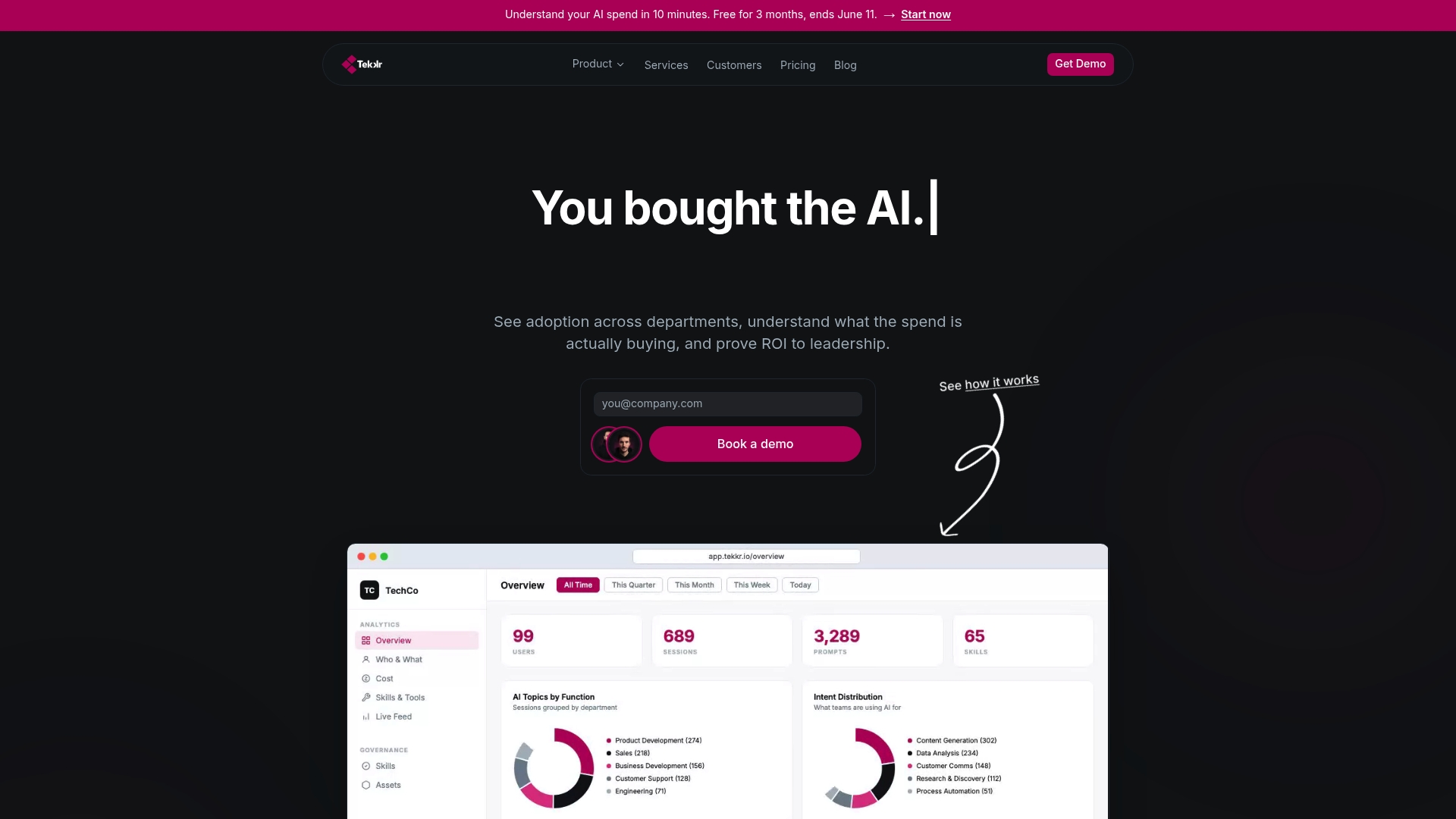
Setup runs about ten minutes, the architecture is end-to-end encrypted and GDPR-compliant with automatic PII stripping, and a free tier is available. If your discovery sprint just produced a backlog of prioritized pilots, the next move is putting a measurement layer under them before you scale. Visit Tekkr’s AI adoption solution to see how Cost Per Use Case reporting works, and start tracking your first pilot this week.
Sources
- Identifying and scaling AI use cases | OpenAI
- AI Use Case Template: Find High-Impact Opportunities | Optimizely
- AI Use Case Finder | RaftLabs