
Founders who deploy 4–6 core AI workflows reclaim 15–40 hours weekly and improve sales metrics by 15–30%, multiplying team effectiveness 3–5x over 6–12 months. That is the definition of AI productivity for founders: not buying more tools, but running fewer, deeper workflows that remove repetitive cognitive drag from your day. The biggest gains come from boring tasks. Inbox triage, meeting summaries, lead scoring, and content repurposing consistently deliver more time back than any flashy AI demo. Tools like Claude, ChatGPT, Make.com, and Reclaim are the workhorses behind these wins. The types of AI productivity wins founders actually capture in 2026 follow a clear pattern: automate the pattern work, protect your judgment, and measure what changes.
1. What are the top types of AI workflows that drive founder productivity wins?
AI productivity gains come from repeated cognitive drag removal, not from novelty. The workflows below are ranked by time savings and implementation speed.
| Workflow | Tool Examples | Hours Saved Weekly | Primary Impact |
|---|---|---|---|
| Inbox triage and drafting | Claude, ChatGPT | 4–6 hrs | Response speed, mental load |
| Meeting transcription and summaries | Otter.ai, Fireflies | 3–5 hrs | Decision clarity, follow-through |
| Lead scoring and qualification | Clay, HubSpot AI | 3–5 hrs | Sales pipeline quality |
| Content repurposing | Claude, Jasper | 2–4 hrs | Distribution reach |
| Outreach personalization | Clay, Apollo | 2–4 hrs | Reply rates |
| Customer onboarding sequences | Make.com, Zapier | 2–3 hrs | Churn reduction |
| CRM cleanup and data entry | HubSpot AI, Notion AI | 2–3 hrs | Data accuracy |

Inbox triage is the fastest win to deploy. You write a prompt that sorts emails by urgency, drafts replies for routine requests, and flags anything needing your direct judgment. Claude and ChatGPT both handle this well with a single system prompt.
Meeting intelligence is the second highest-return workflow. Tools like Otter.ai and Fireflies transcribe calls, extract action items, and push summaries directly to Slack or Notion. You stop losing decisions made in meetings that nobody documented.
Lead scoring is where AI-driven productivity gains compound into revenue. Clay pulls data from LinkedIn, news sources, and your CRM to score and rank leads before your sales team touches them. That is the 15–30% sales improvement founders report after 90 days of consistent use.
Pro Tip: Set up your inbox triage workflow before anything else. It takes under two hours to configure with Claude and delivers time savings from day one, giving you the mental space to deploy the next workflow.
2. How do integrated AI tools improve focus and reduce cognitive drag for founders?
Focus is a founder’s scarcest resource. Reclaim recovers 6–10 hours per week by auto-blocking calendar conflicts and protecting deep work time. That is not a marginal gain. It is the equivalent of adding a full workday back to your week.
The problem most founders face is not a lack of AI tools. It is that their calendar fills with reactive work before they can do anything meaningful. Reclaim and Motion both solve this by fusing task lists with calendar slots automatically. You add a task, set a deadline, and the tool finds the best time to schedule it without you touching the calendar.
Context-switching fatigue is the hidden cost of tool stacking. Switching between tools loses 20+ minutes per switch. A founder running six different AI dashboards throughout the day can easily lose two hours to navigation and reorientation alone.
The fix is depth over breadth. Pick tools that connect to each other. Reclaim syncs with Google Calendar and Slack. Motion integrates with project management tools. The goal is one coherent system, not a collection of isolated features.
- Auto-schedule deep work blocks every morning before meetings fill the day
- Use a single AI writing tool for all text generation rather than switching between Claude and ChatGPT
- Route all AI agent outputs to one destination, such as Notion or Slack, to avoid dashboard sprawl
- Audit your tool stack quarterly and cut anything you use fewer than three times per week
Pro Tip: Embed AI agents inside tools you already use daily. The best AI agent is the one founders actually use, and that means meeting them in Slack or WhatsApp rather than asking them to open a new app.
3. What common mistakes reduce AI productivity wins and how to avoid them?
The AI productivity paradox is real. A survey of 6,000 executives found over 80% reported no measurable productivity gains from AI. The primary cause was tool stacking, not tool quality. Buying more AI subscriptions creates friction, not efficiency.
“The biggest mistake founders make is treating AI adoption like a software shopping list. Real gains come from running four workflows deeply, not fourteen workflows badly.” — AI Workflows for Founders 2026
Here are the four most common mistakes and how to correct them:
- Deploying too many tools at once. Start with two workflows. Master them. Add a third only after the first two run without your daily attention.
- Using AI for judgment-heavy decisions. AI handles pattern work. Legal review, hiring decisions, and brand positioning require your judgment. Mixing these up produces expensive errors.
- Skipping measurement. If you cannot tell whether a workflow saved time last week, you cannot improve it. Track hours saved per workflow using a simple weekly log or a tool like Tekkr’s Configurato.
- Ignoring adoption by your team. A workflow only one person uses is a personal habit, not a business asset. Build AI playbooks your whole team follows.
The AI as a tiny operations team mental model is the most useful frame here. Your operations team handles repeatable, documented processes. It does not make judgment calls. Apply the same rule to AI and you will avoid most of the costly mistakes founders make in year one.
4. How can founders customize AI workflows to match their style and team?
No two founders run the same business, and AI workflows need to reflect that. The starting point is identifying which tasks you personally repeat most often. Those are your first automation targets.
The Loom-to-SOP workflow is one of the most underused approaches in early-stage startups. You record a Loom video of yourself doing a task, transcribe it with Whisper, and feed the transcript to Notion AI to generate a standard operating procedure. The whole process takes roughly 15 minutes. The output is a documented process you can delegate to a team member or hand off to an AI agent.
Solo founders and teams need different configurations:
- Solo founders should prioritize inbox triage, meeting summaries, and content repurposing. These three workflows alone can recover 10–15 hours weekly.
- Teams of 2–10 should add lead scoring, customer onboarding sequences, and CRM cleanup. Shared AI playbooks prevent each person from reinventing the same prompts.
- Teams of 10+ need governance. Track which tools each team uses, what they cost, and whether adoption is actually happening. This is where AI adoption measurement becomes a business-critical function.
A phased deployment roadmap prevents overwhelm. Months 1–2: deploy inbox triage and meeting summaries. Months 3–4: add lead scoring and content repurposing. Months 5–6: build outreach personalization and onboarding sequences. By month 12, you have a full AI operations layer running in the background.
Pro Tip: Use Make.com to connect your AI workflows to each other. When a meeting summary is generated, Make.com can automatically create a follow-up task in Notion, update your CRM, and send a Slack message to the relevant team member, all without you touching anything.
5. Which AI tools for founders deliver the highest ROI in 2026?
The top AI productivity platforms for founders in 2026 fall into four categories: writing and reasoning, workflow automation, calendar and focus, and sales intelligence.
Writing and reasoning: Claude and ChatGPT are the two dominant tools. Claude handles longer documents, nuanced drafting, and complex reasoning tasks. ChatGPT integrates with more third-party tools through its plugin ecosystem. Most founders use one as their primary and the other as a backup.
Workflow automation: Make.com and Zapier connect your AI tools to each other and to your existing software stack. Make.com offers more complex logic at a lower price point. Zapier is faster to set up for simple connections. Both support Claude and ChatGPT as action steps.
Calendar and focus: Reclaim and Motion are the two leading options. Reclaim is better for protecting deep work time. Motion is better for dynamic task scheduling when your priorities shift daily.
Sales intelligence: Clay is the standout tool for lead enrichment and scoring. It pulls from dozens of data sources and lets you build AI-powered outreach sequences that personalize at scale. Founders using Clay consistently report the 15–30% sales improvement cited in 2026 research.
True AI productivity advantage comes from continuity, maintaining context across tasks so complex work flows without constant restart overhead. Choose tools that remember prior context and connect to your existing data rather than tools that require you to re-explain your situation every session.
Key takeaways
Founders who focus on 4–6 core AI workflows, measure their impact, and embed tools into existing daily systems consistently outperform those who stack tools without a system.
| Point | Details |
|---|---|
| Focus on 4–6 workflows | Depth beats breadth; running fewer workflows well delivers more time savings than many workflows poorly. |
| Start with boring tasks | Inbox triage, meeting summaries, and CRM cleanup deliver the fastest and most consistent time savings. |
| Protect judgment areas | AI handles pattern work; legal, hiring, and brand decisions require founder judgment every time. |
| Embed tools in existing apps | AI agents inside Slack or WhatsApp get used; standalone dashboards get abandoned. |
| Measure every workflow | Track hours saved weekly per workflow to know what to keep, improve, or cut. |
The honest truth about AI productivity for founders
I have watched founders spend months building elaborate AI stacks that save them almost nothing. The pattern is always the same: they buy the tools, set up the dashboards, and then keep doing the work manually because the setup felt too fragile to trust.
The founders who actually capture AI-driven productivity gains do something different. They pick one workflow, run it for 30 days until it is boring and reliable, and only then add the next one. That compounding effect is real. By month six, they are running a business that feels like it has twice the headcount.
The part most articles skip is the measurement problem. You cannot improve what you do not track. Most founders have no idea which AI tools their team actually uses, what those tools cost per department, or whether adoption has changed since launch. That blind spot is where most AI investment quietly disappears.
My strongest recommendation is to treat AI adoption as an operational discipline, not a technology experiment. Set a weekly review. Log hours saved. Cut tools that do not perform. The founder bottleneck is almost always a measurement and accountability gap, not a tool gap.
One more thing: continuity matters more than capability. An AI agent that remembers your last 20 conversations and knows your business context is worth more than a more powerful model that starts from zero every session. Build for memory, not just for speed.
— TekkrTools
How Tekkr helps founders turn AI investment into real results
Buying AI tools is the easy part. Knowing whether your team actually uses them, what they cost by department, and whether they are delivering results is where most founders go blind.
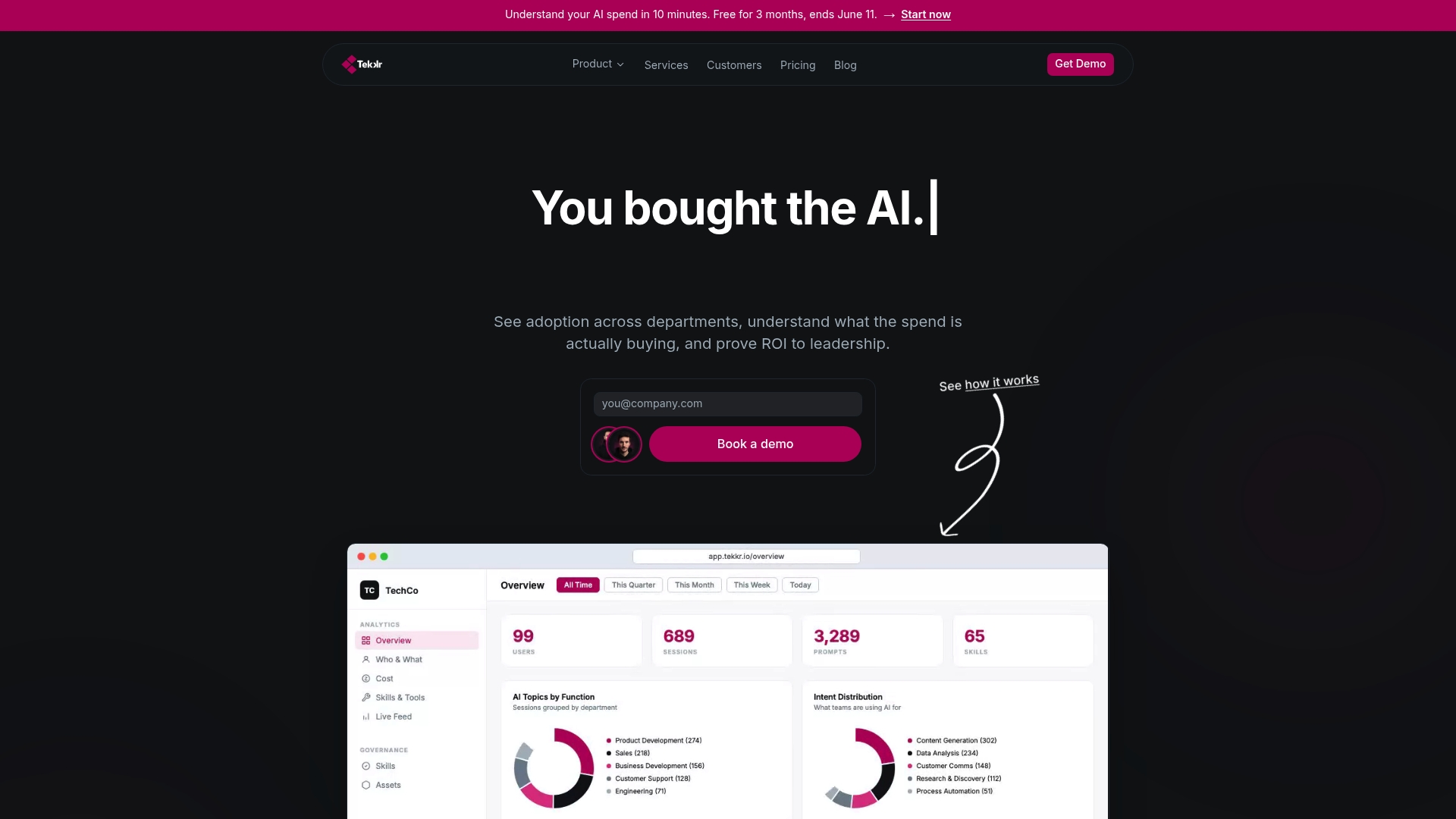
Tekkr’s flagship product, Configurato, tracks AI adoption and spend across your entire organization, surfaces which workflows are working, and drives adoption higher through gamified rollouts and company-wide AI playbooks. Setup takes 10 minutes, there is a free tier, and no credit card is required. If you are ready to measure and improve AI adoption across your team, Tekkr gives you the visibility and the tools to make it happen.
FAQ
What is AI productivity for founders?
AI productivity for founders is the measurable time and revenue gain from deploying AI workflows that automate repetitive cognitive tasks. Founders who run 4–6 core workflows consistently reclaim 15–40 hours weekly.
How many AI tools should a founder use?
Founders should use 4–6 AI tools deeply rather than stacking many tools superficially. A survey of 6,000 executives found over 80% reported no productivity gains, primarily because tool stacking created friction instead of efficiency.
Which AI workflow delivers the fastest time savings?
Inbox triage delivers the fastest return. Configured with Claude or ChatGPT, it can recover 4–6 hours weekly within the first week of deployment and requires no ongoing maintenance once the initial prompt is set.
How do founders measure AI productivity gains?
Track hours saved per workflow weekly using a simple log or a dedicated tool like Tekkr’s Configurato. The key metrics to monitor are time saved, adoption rate by team member, and cost per workflow.
What tasks should founders never delegate to AI?
Legal review, hiring decisions, financial strategy, and brand positioning require founder judgment. AI handles pattern work reliably. Decisions with significant downside risk or reputational stakes stay with the founder.