
Step-by-step AI productivity improvements are defined as a structured, incremental approach to replacing or augmenting manual workflows with AI agents, automation connectors, and context-aware assistants to produce measurable time savings and performance gains. Done right, this approach lets professionals reclaim 8-15 hours of manual work weekly once five to seven workflows stabilize. Tools like ChatGPT, Claude, Make, and Zapier are the building blocks. The performance gains are real: teams consistently report 20-30% output improvements after systematic AI adoption. This guide walks you through every phase, from identifying the right tasks to scaling multi-agent workflows across your organization.
Which business tasks are best suited for AI productivity improvements?
The highest-ROI tasks for AI are those that are frequent, time-consuming, and follow a predictable pattern. Not every task belongs in an automation queue, and misidentifying candidates is where most teams waste their first month.
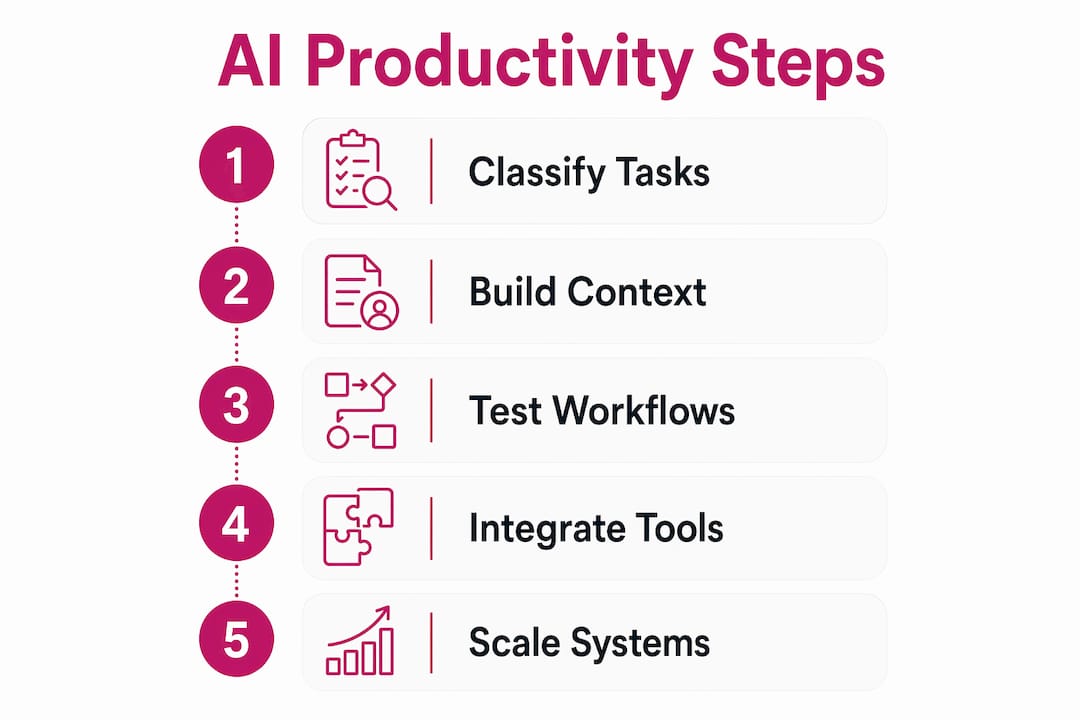
Classify your work into three buckets before touching any tool:
- Fully automatable: Tasks with fixed inputs and outputs. Email triage, meeting transcription, data formatting, invoice processing, and report generation. These run without human review once stabilized.
- AI-assisted: Tasks requiring judgment but benefiting from AI drafts or summaries. Writing first drafts, analyzing customer feedback, preparing presentations, and building proposals. A human reviews and refines the output.
- Manual-exclusive: Tasks requiring empathy, negotiation, or novel creative judgment. Strategic decisions, client relationship management, and conflict resolution. AI supports context here but does not execute.
To identify your highest-impact candidates, run a simple automation audit. For one week, log every recurring task in a tool like Toggl or Clockify, noting time spent, frequency, and whether the task follows a repeatable pattern. Tasks that appear daily or weekly, consume more than 30 minutes each, and follow a consistent structure are your first targets. AI compresses time-intensive processes like document structuring and rough drafting, turning 90-minute tasks into 15-minute tasks. That compression is where the competitive advantage lives.
Pro Tip: Start your audit with email and meetings. These two categories alone account for the majority of recoverable hours in most professional roles, and both have mature AI tooling available in 2026.
How to select and integrate the right AI tools for your workflows
Choosing the right combination of AI agents and connectors determines whether your productivity system holds together or breaks under real workload. The market in 2026 offers strong options across both categories.

| Tool | Category | Best for | Integration method |
|---|---|---|---|
| ChatGPT (GPT-4o) | AI agent | Drafting, summarizing, analysis | API, Zapier, Make |
| Claude (Anthropic) | AI agent | Long documents, nuanced writing | API, Make |
| Gemini (Google) | AI agent | Google Workspace tasks | Native Google integrations |
| Copilot (Microsoft) | AI agent | Office 365 workflows | Native Microsoft integrations |
| Make | Connector | Multi-step automations | Connects 1,800+ apps |
| Zapier | Connector | Simple trigger-action workflows | Connects 6,000+ apps |
The practical rule: use an AI agent for the intelligence layer and a connector platform for the plumbing. A common setup pairs Gmail with ChatGPT via Zapier to classify incoming emails, generate draft replies, and route action items to Notion. Email triage automation can save 45-90 minutes daily through AI classification, routing, and draft replies. That is not a marginal gain. It is a structural change to how your day runs.
For teams already inside Google Workspace or Microsoft 365, start with native integrations before adding third-party connectors. Gemini inside Google Docs and Copilot inside Word reduce friction because employees do not leave the tools they already use. Once those integrations are stable, layer Make or Zapier on top to connect outputs to downstream systems like Slack, HubSpot, or Jira.
Connecting AI tools to workplace platforms like Slack, Notion, and calendars enables proactive AI coworkers rather than reactive bots. That distinction matters. A reactive bot answers when asked. A proactive AI coworker surfaces the right information before you need to ask.
Pro Tip: Build error handling into every connector workflow from day one. Set up a dedicated Slack channel or email alias to receive failure notifications. Automation that fails silently is worse than no automation at all.
How to build and stabilize your first AI automation workflow
Building your first workflow is a five-phase process. Skipping any phase creates fragility that surfaces at the worst possible time.
- Map the current manual process. Document every step of the task as it exists today. Include inputs, outputs, decision points, and the people involved. Use a simple Notion page or Google Doc. This map becomes your build specification.
- Choose your first automation candidate. Apply the criteria from your audit: high frequency, high time cost, repeatable pattern. A good first candidate is meeting follow-up. Tools like Otter.ai transcribe the meeting, ChatGPT extracts action items, and Zapier pushes them to your project management tool. Automating meetings with AI-generated transcripts and task extractions saves 20-40 minutes per meeting.
- Build the workflow in stages. Set up the trigger first, confirm it fires correctly, then add each action step one at a time. Test each connection before adding the next. Do not build the entire chain and test it end-to-end on the first run.
- Run it manually 10-20 times before going live. Manual repetition uncovers issues such as empty fields or timing anomalies before automation. This is the step most teams skip, and it is the reason most early automations break within the first week.
- Stabilize and measure over 4-6 weeks. Track time saved before and after. Log errors. Refine prompts and connector logic based on real output. Most automation projects stabilize after 4-6 weeks, yielding measurable ROI and operational reliability.
One setup detail that most guides skip: build a context file before you write a single prompt. A 300-500 word context file covering your tone, formatting rules, disallowed phrases, and role-specific standards reduces cost and improves output quality by over 20%. Name it something like "CompanyContext.MD` and reference it in every AI prompt. This single step transforms generic AI output into output that sounds like your team wrote it.
Pro Tip: Assign one person as the workflow owner for each automation. Shared ownership means no ownership. When something breaks at 9 AM on a Monday, you need one name responsible for the fix.
Advanced strategies: chaining AI agents and scaling your AI productivity system
Once your first two or three workflows are stable, the next move is chaining them together. Multi-agent workflows pass outputs from one AI step directly into the next, compressing entire processes that previously required multiple people and multiple handoffs.
A practical example from a sales team: a new lead fills out a web form, Make triggers a ChatGPT prompt to research the company and generate a personalized outreach email, the email routes to a human for a 30-second review, and upon approval Zapier logs the activity in HubSpot and schedules a follow-up task. What previously took 25 minutes of manual research and writing takes under 5 minutes. Reusable AI Skills and Projects transform AI from a chatbot into a briefed team member, and chained workflows are where that transformation becomes visible.
Scaling guidelines to keep your system from becoming fragile:
- Add one new workflow per week, not five at once. Speed of expansion is the most common cause of system collapse.
- Document every workflow in a shared location, including the trigger, each step, the AI prompt used, and the expected output. Undocumented automations become liabilities when the person who built them leaves.
- Monitor each workflow weekly for the first month. Check error rates, output quality, and time savings against your baseline.
- Assign a quarterly review to audit which workflows are still delivering value and which have drifted out of alignment with current processes.
| Workflow type | Example | Time saved per week |
|---|---|---|
| Email triage | Gmail + ChatGPT + Zapier | 5-10 hours |
| Meeting follow-up | Otter.ai + ChatGPT + Notion | 2-4 hours |
| Content drafting | Claude + Make + CMS | 3-6 hours |
| Lead research | Make + GPT-4o + HubSpot | 2-5 hours |
Common pitfalls in AI productivity improvements and how to avoid them
Most AI productivity initiatives stall not because the tools fail, but because the implementation skips steps that seem optional but are not.
- Over-automating before optimizing. Automating a broken process makes it break faster. Before you automate any workflow, fix the manual version first. Remove unnecessary steps, clarify decision points, and confirm the output is actually useful.
- Skipping manual testing. Running a workflow live without 10-20 manual test runs is the single most common cause of early failures. Edge cases like empty form fields, unusual email formats, or API timeouts only surface through repetition.
- Ignoring human-in-the-loop review. AI drafts require human review to reach professional-grade quality. AI drafts must be reviewed and refined to achieve professional-grade outputs. Build review steps into workflows wherever the output goes to a client, a customer, or a public channel.
- Skipping the context file. Generic prompts produce generic output. Without a context file embedding your tone, standards, and role-specific knowledge, every AI output requires heavy rework. That rework erases the time savings you were trying to capture.
- Underestimating cultural resistance. Tools do not change behavior. People do. If your team sees AI as a threat to their jobs rather than a capacity multiplier, adoption will stall regardless of how good the tooling is. Address this directly and early.
“The companies that win with AI won’t be the ones that deploy the most tools. They’ll be the ones that teach AI how they work.”
A weekly 30-minute review habit, applied to your AI workflows, increases knowledge worker performance by 23%. Use that time to check error logs, review output quality, and recalibrate prompts. It is the cheapest performance improvement available.
Key takeaways
Stepwise AI productivity improvements require task classification, context-rich setup, manual testing, and gradual scaling to deliver reliable, measurable time savings across professional workflows.
| Point | Details |
|---|---|
| Classify tasks first | Separate fully automatable, AI-assisted, and manual-exclusive tasks before selecting any tool. |
| Build a context file | A 300-500 word context file improves AI output quality by over 20% and eliminates most rework. |
| Test manually before going live | Run every new workflow 10-20 times manually to catch edge cases before automation. |
| Stabilize before scaling | Allow 4-6 weeks per workflow to stabilize before adding new automations to the system. |
| Assign clear ownership | Each workflow needs one named owner responsible for monitoring, errors, and iteration. |
What I’ve learned from building AI workflows in real organizations
AI is a force multiplier, not a replacement. That framing matters because it changes how you build. When you treat AI as a replacement, you automate everything and remove humans from the loop. When you treat it as a multiplier, you keep humans at the decision points that matter and let AI handle the volume work underneath.
The context file insight is one I wish I had understood earlier. Most teams spend weeks iterating on prompts trying to get consistent output, when the real fix is a well-structured context file that travels with every prompt. It is the difference between briefing a contractor once versus re-explaining your standards every single engagement.
The other thing I have seen consistently: small, iterative improvements compound faster than large transformation projects. A team that ships one stable workflow per week has 50 working automations by the end of the year. A team that spends six months planning a comprehensive AI overhaul has a slide deck and a pilot that never scaled.
Start with the task that costs you the most time today. Build it, test it, stabilize it, and then move to the next one. That cadence, repeated consistently, is what separates teams that see real productivity gains from teams that are still waiting for the tools to deliver on their promise.
— TekkrTools
How Tekkr helps you get more from every AI workflow
Most teams hit a ceiling with AI productivity not because their tools are wrong, but because their AI assistants have no idea how their company actually operates. Generic prompts produce generic output, and the rework erases the time savings.
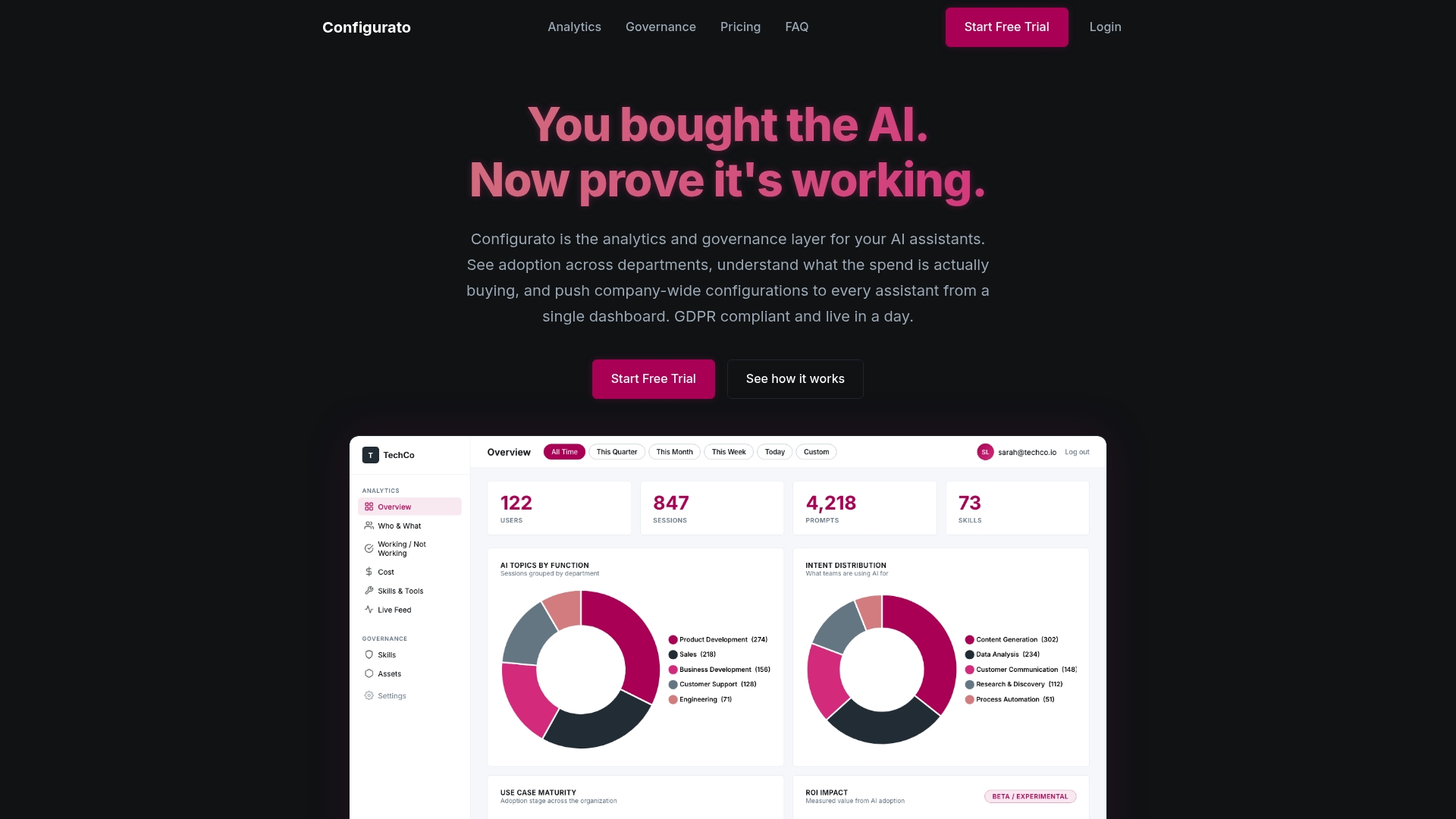
Tekkr’s Configurato platform embeds your company’s processes, quality standards, and domain knowledge directly into the AI assistants your team already uses, whether that is Claude, GPT-4o, Copilot, or Gemini. When your product manager asks Claude to draft a spec, the output already reflects your product development lifecycle. When your engineer asks Copilot to scaffold a service, it follows your architecture standards. No training sessions. No lookup documents. No rework. Configurato also gives you the tracing and benchmarking layer to see exactly where AI is accelerating work and where it is not. If you are serious about scaling AI workflows that actually hold up under real workload, that visibility is not optional.
FAQ
What does step-by-step AI productivity improvement mean?
Step-by-step AI productivity improvement is a structured method of incrementally replacing or augmenting manual workflows with AI agents and automation connectors, starting with high-frequency tasks and expanding systematically. The goal is measurable time savings and output quality gains, not wholesale transformation overnight.
How long does it take to see results from AI workflow automation?
Most automation projects stabilize after 4-6 weeks, at which point measurable ROI and operational reliability become visible. Teams that stabilize five to seven workflows can expect to reclaim 8-15 hours of manual work per week.
Which AI tools work best for business productivity in 2026?
ChatGPT (GPT-4o) and Claude handle drafting, summarizing, and analysis. Make and Zapier serve as connector platforms that link AI agents to tools like Gmail, Notion, Slack, and HubSpot. The right combination depends on your existing tech stack.
Why do most AI productivity initiatives fail to deliver results?
The most common causes are over-automating broken processes, skipping manual testing, and failing to build context files that give AI assistants company-specific knowledge. Generic prompts produce generic output that requires rework, which eliminates the time savings the automation was meant to create.
How do I scale from one AI workflow to a full productivity system?
Add one new workflow per week, document every automation in a shared location, and assign a named owner to each workflow. A quarterly audit keeps the system aligned with current processes and removes automations that have drifted out of usefulness.