
Onboarding a team to AI tools quickly is defined as enabling meaningful, daily AI use across targeted workflows within 30 days, using role-specific prompts, peer champions, and baseline measurement. Generic slide decks and company-wide license drops do not move the needle. The teams that adopt AI fast pick one high-frequency workflow, measure it before and after, and build from there. This article gives you the exact framework to do that, whether you are rolling out Claude, Grammarly, or any other AI tool across a department.
How to onboard team to AI tools quickly: the 30-day framework
The fastest path to real AI adoption is a focused, measurable 30-day rollout. Broad tool distribution without a targeted workflow is the single most common reason enterprise AI investments stall. A focused 30-day rollout that targets one high-frequency, low-risk workflow with a peer champion and baseline measurement consistently outperforms generic deployments.
The framework works because it forces specificity. Instead of asking every employee to “use AI more,” you ask the customer support team to use Claude for ticket drafting, or the marketing team to use Grammarly for copy review. That specificity is what creates measurable results and genuine behavior change.

What prerequisites do you need before starting AI onboarding?
Preparation determines speed. Teams that skip infrastructure setup spend the first two weeks troubleshooting access instead of building skills. Infrastructure elements like permissions templates, shared context files, and role-specific workflows matter more than training decks for fast AI onboarding.
Before day one of your rollout, complete these steps:
- Provision AI tools on actual work devices. Demos on a shared laptop do not count. Every employee needs a live account on the device they use daily.
- Verify SSO setup and access. Single sign-on failures and account activation delays are the most common provisioning bottleneck. Run a full access check at least five business days before launch.
- Build a starter prompt library. Create 10–15 role-specific prompts before training begins. A customer success manager needs different prompts than a software engineer. Pre-built libraries cut the learning curve significantly.
- Assign a peer champion. This person is not an IT administrator. They are a respected team member who uses the tool daily, collects effective prompts, and answers questions in Slack or Teams.
- Publish a clear data usage policy. Without one, employees default to shadow AI use on personal accounts. A one-page policy covering what data can and cannot go into AI tools removes that risk immediately.
Pro Tip: Build the first version of your shared prompt library live, in front of the team, during the orientation session. Peer-owned prompt libraries built collaboratively outperform top-down documentation for engagement and long-term adoption.
What are the step-by-step actions for a 30-day AI rollout?
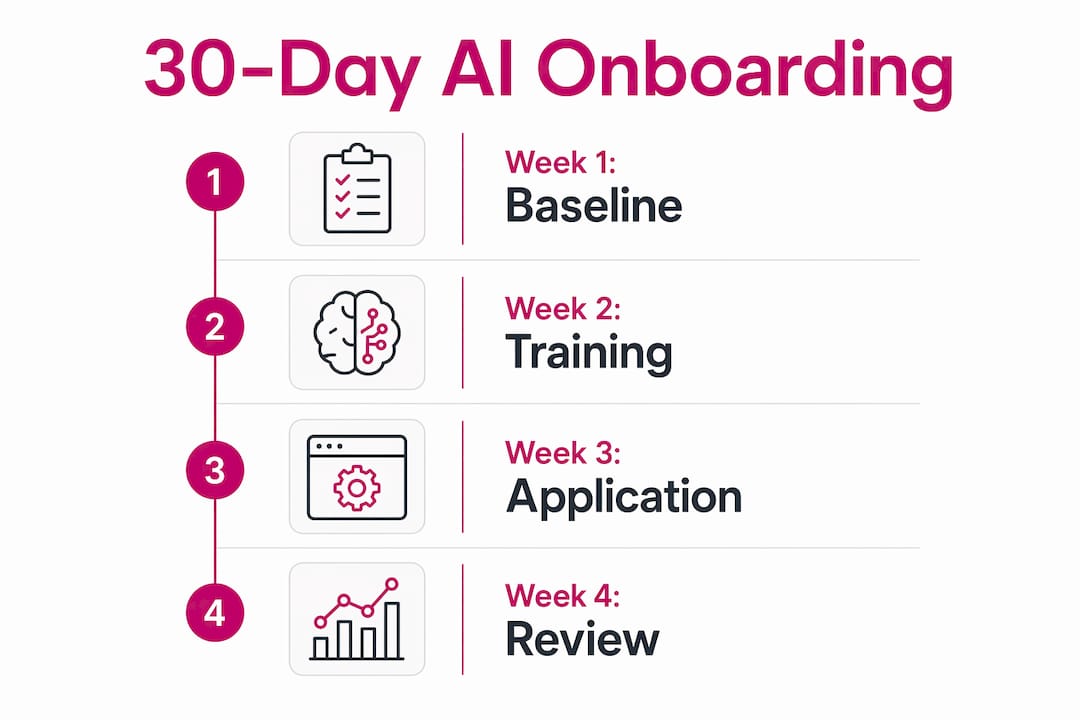
A structured four-week plan removes ambiguity and gives every stakeholder a clear line of sight to results.
- Week 1: Measure baseline performance. Select one high-frequency, low-risk workflow. Measure how long it takes, how much output the team produces, and the error rate. This baseline is your proof point at day 30.
- Week 2: Provision tools and introduce the peer champion. Run a 45–60 minute orientation on day one of this week. Cover the tool, the data policy, and the starter prompt library. Name the peer champion publicly and explain their role.
- Week 3: Practice on real tasks. Employees use the AI tool on actual work, not exercises. The peer champion collects prompts that work well and adds them to the shared library. Schedule a 30-minute check-in mid-week to surface blockers.
- Week 4: Re-measure and iterate. Compare speed, volume, and quality against the week-one baseline. If results improved, expand the rollout to a second workflow. If they did not, adjust the prompts or the workflow before scaling.
The table below maps each week to its primary goal and key milestone.
| Week | Primary goal | Key milestone |
|---|---|---|
| Week 1 | Baseline measurement | Workflow selected, metrics recorded |
| Week 2 | Tool provisioning and orientation | All accounts active, champion named |
| Week 3 | Hands-on practice with real tasks | Prompt library grows to 25+ entries |
| Week 4 | Results review and iteration decision | Baseline vs. current metrics compared |
The most effective early win for skeptics is email triage. Teams that use AI for email triage save 30–45 minutes daily, and that concrete time saving converts doubters faster than any feature demo. Show the math on day one of week two.
Pro Tip: Schedule the day-30 review as a calendar invite on the first day of the rollout. When employees see a formal review date, they treat the pilot as a real commitment, not an optional experiment.
How do you sustain AI adoption after the initial rollout?
The rollout is the easy part. Sustained use is where most enterprise AI programs lose ground. Structured follow-up training leads to up to three times higher sustained AI tool usage compared to one-time training. That gap is large enough to determine whether your AI investment pays off or sits idle.
Sustained adoption depends on four factors:
- Peer champions as ongoing owners. Champions should hold a monthly prompt review, retire outdated prompts, and add new ones based on team feedback. This keeps the library current without requiring HR or IT involvement.
- Leadership visibility. When executives use AI tools in meetings and reference them in all-hands updates, adoption signals shift from “optional experiment” to organizational priority. Visible sponsorship lifts adoption from 25% to 76%.
- Behavior-based progress tracking. Measure actual usage frequency, not license distribution. A team with 100 licenses and 20 active users has a 20% adoption rate, regardless of what the procurement report says.
- AI agents for ongoing support. AI agents integrated with tools like Jira, Slack, and ServiceNow can answer onboarding questions automatically, reducing the HR ticket load and keeping new hires unblocked.
“AI adoption rarely fails on the technology. It fails on people, process, and politics.” This is the core finding from change management research on enterprise AI rollouts, and it explains why peer champions and role-specific messaging are non-negotiable, not optional extras.
The “productivity paradox” is real: when rollout speed outpaces training quality, employees feel pressure to use tools they do not understand. That pressure creates resentment, not adoption. Pace your expansion to match demonstrated competence, not procurement timelines.
What common mistakes slow AI onboarding for enterprise teams?
Most AI onboarding failures are predictable and preventable. 63% of companies invested in AI training last year, yet 52% of professionals sought independent training because company programs could not keep pace with how fast AI tools change. That gap is a process failure, not a technology failure.
The most common mistakes are:
- Rolling out licenses without a target workflow. Generic access to Claude or Copilot without a specific use case produces generic results. Employees open the tool once, find it confusing, and never return.
- Skipping the prompt library. Without pre-built, role-specific prompts, employees waste time writing bad prompts and conclude the tool does not work. The tool works fine. The prompts were the problem.
- Failing to assign a peer champion. IT mandates do not build trust. A respected colleague who uses the tool daily and shares real results does. Adoption fails without peer influence to close trust gaps.
- Delaying AI onboarding for new hires. AI training embedded in the first 30 days signals organizational seriousness. Delaying it signals that AI is optional, and new hires will treat it that way.
- Ignoring measurement. Unmeasured rollouts waste licenses and produce no adoption improvement. Without a baseline, you cannot prove progress or justify the next phase of investment.
Pro Tip: For skeptical employees, skip the feature overview entirely. Open the tool, run their actual email inbox through an AI triage prompt, and show them the time saved in real time. A live demonstration on their own work converts faster than any presentation.
Key Takeaways
The fastest way to onboard a team to AI tools is a focused 30-day rollout that targets one workflow, assigns a peer champion, and measures results before and after.
| Point | Details |
|---|---|
| Start with one workflow | Pick a high-frequency, low-risk task and measure baseline performance before introducing any tool. |
| Build the prompt library first | Pre-built, role-specific prompts cut the learning curve and prevent early frustration with AI tools. |
| Assign a peer champion | A respected team member who uses the tool daily drives more adoption than any IT mandate. |
| Follow up with structure | Structured follow-up training produces up to three times higher sustained usage than one-time sessions. |
| Measure behavior, not licenses | Track active usage frequency, not seat count, to get an accurate picture of real adoption. |
What I have learned about AI onboarding that most guides get wrong
The biggest mistake I see enterprise teams make is treating AI onboarding as a training event rather than a behavior change program. You can run a perfect orientation session and still have 80% of your licenses sitting unused by week three. The session is not the intervention. The daily habit is.
Peer champions are the most underrated lever in this entire process. They are not just a support resource. They are adoption multipliers. When a respected colleague says “I saved two hours this week using this prompt,” that carries more weight than any executive memo or vendor webinar. Build your champion network before you touch the training content.
Shared prompt libraries are where team autonomy actually lives. When employees can add to, edit, and own the library, they stop waiting for IT to tell them what to do and start experimenting on their own. That shift from passive to active use is the inflection point where real productivity gains appear.
The teams I have seen succeed fastest treat the 30-day pilot as a scientific experiment, not a rollout. They write down the hypothesis, measure the baseline, and report the results honestly, even when the first attempt does not work. That willingness to pivot is what separates organizations that get lasting value from AI from those that just have expensive licenses.
— TekkrTools
Tekkr’s AI adoption platform for faster team onboarding
Buying AI tools is the easy part. Getting your team to use them well, consistently, and across every department is where most enterprises get stuck.
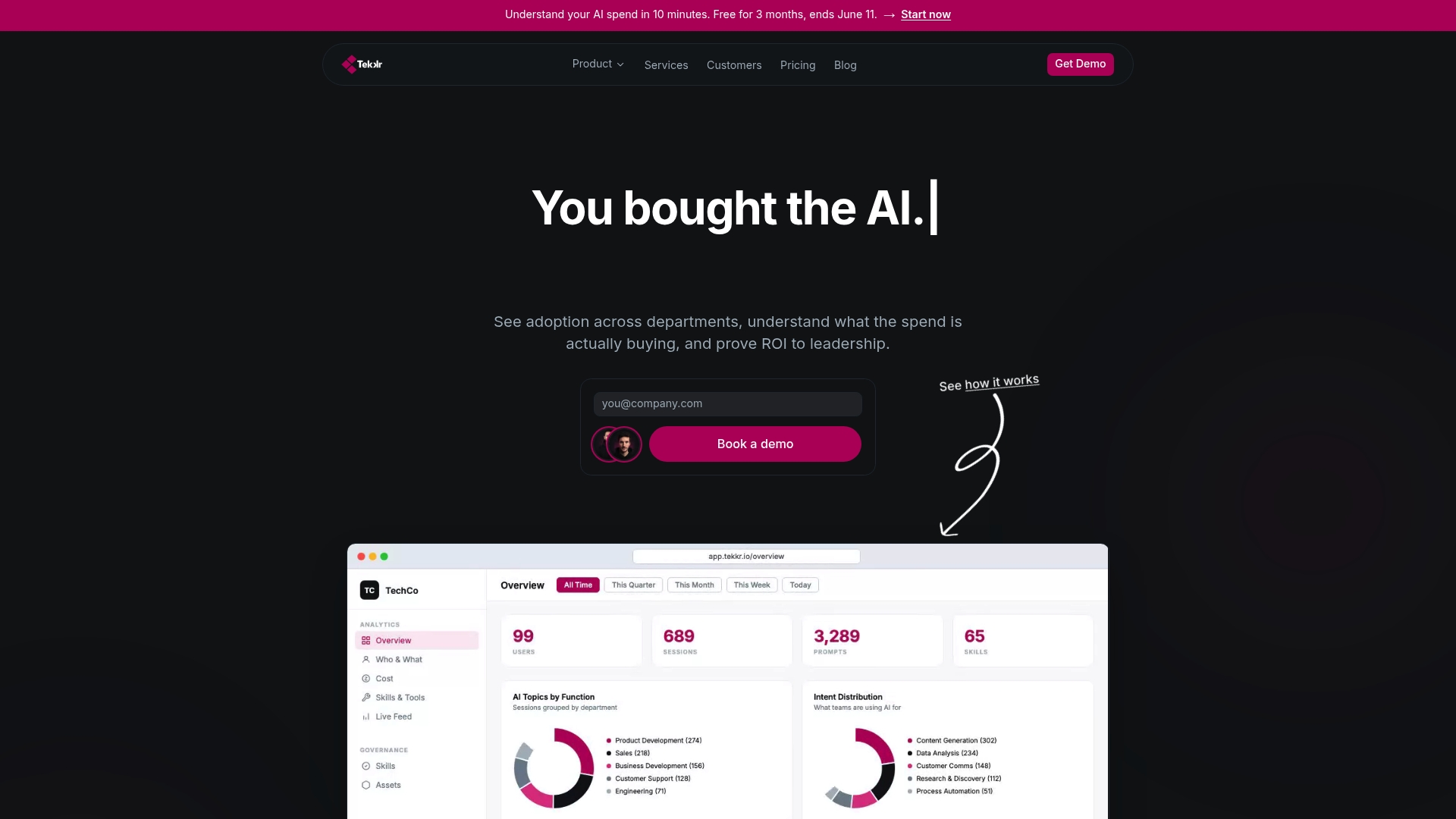
Tekkr’s AI adoption solution gives team leaders and HR professionals the playbooks, measurement tools, and change management frameworks to run exactly the kind of focused, measurable rollout described in this article. Configurato tracks who is actually using tools like Claude and Codex, breaks down adoption by team, and surfaces the use-case intelligence you need to iterate fast. Setup takes about 10 minutes, there is a free tier, and no credit card is required. If you want a company AI playbook built for your specific workflows, Tekkr’s consulting team can build it with you.
FAQ
How long does it take to onboard a team to AI tools?
A focused rollout targeting one workflow takes 30 days to show measurable results. Broader, multi-team deployments typically require 60–90 days to reach sustained adoption.
What is a peer champion in AI onboarding?
A peer champion is a respected team member who uses the AI tool daily, collects effective prompts, and answers colleague questions. Research shows visible peer sponsorship lifts adoption from 25% to 76%.
Why do most AI onboarding programs fail?
Most programs fail because of people and process issues, not technology. Rolling out licenses without a target workflow, skipping prompt libraries, and failing to assign peer champions are the three most common causes of low adoption.
How do you measure AI tool adoption accurately?
Track active usage frequency, not license distribution. A team with 100 seats and 20 active users has a 20% adoption rate. Behavior-based metrics give you the real picture and tell you where to intervene.
Should AI onboarding be part of new hire orientation?
AI training embedded in the first 30 days of a new hire’s timeline signals organizational priority and achieves significantly higher engagement than delayed or optional programs.