
Most startups have deployed an AI assistant. Almost none are seeing the productivity leap they expected. That gap is not about the tools. It is about how people use them. When your team prompts generically, ignores company context, and produces output that needs heavy rework, AI adoption looks great on paper while the competitive advantage never materializes. Real engineering teams that applied systematic AI guidance cut mean time-to-merge by 44%, reduced meeting hours by 39%, and accelerated new-hire productivity by 37.5%. This guide gives you the frameworks and strategies to replicate those results.
Table of Contents
- Why startups need guided AI assistants
- Prompting methodology: From context to iteration
- Customizing and automating AI assistants
- Scaling and governing AI for startup growth
- Why the right guidance, not just adoption, defines startup AI success
- Leverage analytics and governance for seamless AI integration
- Frequently asked questions
Key Takeaways
| Point | Details |
|---|---|
| Guidance drives ROI | Strategic prompting and context increase accuracy, productivity, and returns from AI assistants. |
| Customization boosts efficiency | Building custom AI assistants lets startups store context and automate repetitive tasks for faster workflows. |
| Scaling requires governance | Consolidating vendors, measuring impact, and choosing models are key for sustainable AI integration. |
| Benchmark regularly | Monitoring productivity metrics ensures ongoing improvement for AI-led teams. |
Why startups need guided AI assistants
Building on the potential improvements above, let’s clarify why guidance is the linchpin for startup success with AI assistants.
Off-the-shelf AI assistants are general-purpose tools. They are trained on broad internet data, not your product roadmap, your engineering standards, or your customer success playbook. When a product manager asks an unguided AI to draft a feature spec, the output reflects generic software thinking, not your product development lifecycle. The result is output that needs heavy editing before it is usable, which erodes trust in the tool and slows adoption.
This is not a capacity problem. It is a capability problem. The AI has the raw intelligence. What it lacks is the context to apply that intelligence to your specific situation. That distinction matters enormously when you are deciding where to invest your AI enablement budget.
“Providing context and roles, specifying formats, iterating responses, using company data, and applying chain-of-thought reasoning for complex tasks yields measurable improvements in accuracy, productivity, and ROI.” — HubSpot on AI prompting
The case for guided AI assistants is not theoretical. It is backed by operational data from teams that made the shift from generic to guided usage. Here is what systematic guidance actually changes:
- Code review cycles become faster because the AI understands your architecture standards, not just general best practices.
- Meeting summaries become actionable because the AI knows your team’s decision-making framework and output format.
- Onboarding documentation becomes relevant because the AI has access to your internal processes, not generic onboarding templates.
- Customer-facing content stays on-brand because the AI knows your tone guidelines and product positioning.
The AI assistant value benchmarks that matter most to founders are not about how many employees use the tool. They are about how much rework is eliminated, how much faster decisions get made, and how quickly new hires reach full productivity. Those numbers only move when guidance is baked into the workflow, not left to individual employees to figure out on their own.
The practical implication for you as a founder is straightforward. Deploying AI assistants is step one. Guiding them is step two. Most startups stop at step one and wonder why the ROI is not showing up. The teams that move to step two are the ones that see the 44% faster PR merges and the 39% reduction in meeting hours. Guidance is not optional if you want those results. It is the mechanism that makes them possible.
Prompting methodology: From context to iteration
Once the need for guidance is clear, startups must apply practical, evidence-based prompting techniques.
The single biggest mistake startup teams make with AI assistants is treating every prompt like a one-shot transaction. You type a question, you get an answer, you move on. That approach wastes most of the AI’s capability. Effective prompting is a structured process, not a single exchange.
HubSpot’s prompting research for startups identifies five core techniques that consistently improve output quality:
- Provide context and assign a role. Tell the AI who it is in this conversation. “You are a senior product manager at a B2B SaaS company with 50 enterprise customers” produces dramatically better output than “write a product spec.”
- Specify the output format upfront. If you need a bulleted list, a table, or a three-paragraph executive summary, say so in the prompt. Ambiguity in format leads to output you cannot use directly.
- Iterate rather than restart. When the first output misses the mark, refine the prompt with specific feedback rather than starting over. “Make the second section more concise and add a risk column to the table” gets you further faster than re-prompting from scratch.
- Use company-specific data. Paste in relevant context: your current OKRs, a customer quote, a recent sprint retrospective. The AI cannot guess what it does not know. Giving it real data produces real output.
- Apply chain-of-thought reasoning for complex tasks. For multi-step problems like pricing strategy or architecture decisions, ask the AI to reason through each step before giving a final recommendation. This surfaces assumptions and catches logical gaps before they become expensive mistakes.
Pro Tip: Create a shared prompt library for your team. Store your best-performing prompts and context blocks in a shared document or tool. When your head of engineering has a prompt that produces great architecture review notes, every engineer should have access to it. This compounds your team’s prompting skill without requiring individual training.
The compounding effect of good prompting methodology is significant. Teams that standardize their prompting approach see consistent output quality across roles and projects. Teams that leave prompting to individual preference get inconsistent results that undermine confidence in the tool. The metrics demonstrating AI assistant impact are clearest in organizations where prompting methodology is treated as a team practice, not a personal skill.
One more thing worth saying plainly: iteration is not a sign that the AI is failing. It is the normal process of refining output toward your standard. Expect to iterate. Build iteration time into your workflow estimates. Teams that do this stop feeling frustrated by imperfect first drafts and start treating AI like a capable junior colleague who needs clear direction.
Customizing and automating AI assistants
Effective prompting is foundational, but custom automation elevates productivity to the next level.
There is a ceiling to what manual prompting can achieve. Every time a team member starts a new conversation with an AI assistant, they lose the context from previous sessions. They re-enter the same background information. They re-specify the same format preferences. This is friction that compounds across hundreds of interactions per week. Custom AI assistants eliminate that friction entirely.
Modern platforms allow you to build custom AI assistants, including custom GPTs, Projects in Claude, and Gems in Gemini, that store recurring prompts and context so your team never has to re-enter them. The AI already knows your company when the conversation starts. This is not a minor convenience. It is a structural change in how your team interacts with AI.

Here is a comparison of off-the-shelf versus custom AI assistant approaches:
| Dimension | Off-the-shelf AI | Custom AI assistant |
|---|---|---|
| Context retention | None across sessions | Persistent and role-specific |
| Output alignment | Generic | Reflects your standards |
| Onboarding time | Immediate but shallow | Brief setup, deep ongoing value |
| Rework required | High | Significantly reduced |
| Team consistency | Variable | Standardized |
| Cost over time | Linear | Decreasing per output |
To build a custom AI assistant that actually moves the needle, follow these steps:
- Identify the three to five tasks your team performs most frequently with AI. These are your highest-value automation targets because the setup cost pays off fastest.
- Document the context those tasks require. What background does the AI need to produce usable output? Your product positioning, your engineering standards, your customer personas.
- Write a system prompt that encodes that context. This is the foundation of your custom assistant. It runs invisibly before every conversation.
- Specify output formats for each task type. A custom assistant for customer success notes should always produce output in the format your CRM expects.
- Test with real tasks and iterate the system prompt. Treat this like a product launch. Get feedback from the team members who will use it daily and refine accordingly.
The startup engineering team benchmarks that show the biggest productivity gains are almost always from teams that have moved beyond manual prompting into custom assistant territory. The setup investment is measured in hours. The ongoing return is measured in weeks of recovered engineering time per quarter.
Custom assistants also reduce the skill gap between your most AI-proficient team members and your least. When the system prompt does the heavy lifting, a junior team member gets the same quality of AI output as a senior one. That is a meaningful equity gain in a resource-constrained startup environment.
Scaling and governing AI for startup growth
As teams automate and customize, scaling and governing AI becomes essential for continued efficiency and savings.
Customization solves the quality problem. Governance solves the cost and control problem. As your AI usage scales, you will face a new set of challenges: multiple vendors with overlapping capabilities, unpredictable API costs, inconsistent model selection, and limited visibility into where AI is actually helping versus where it is producing noise.
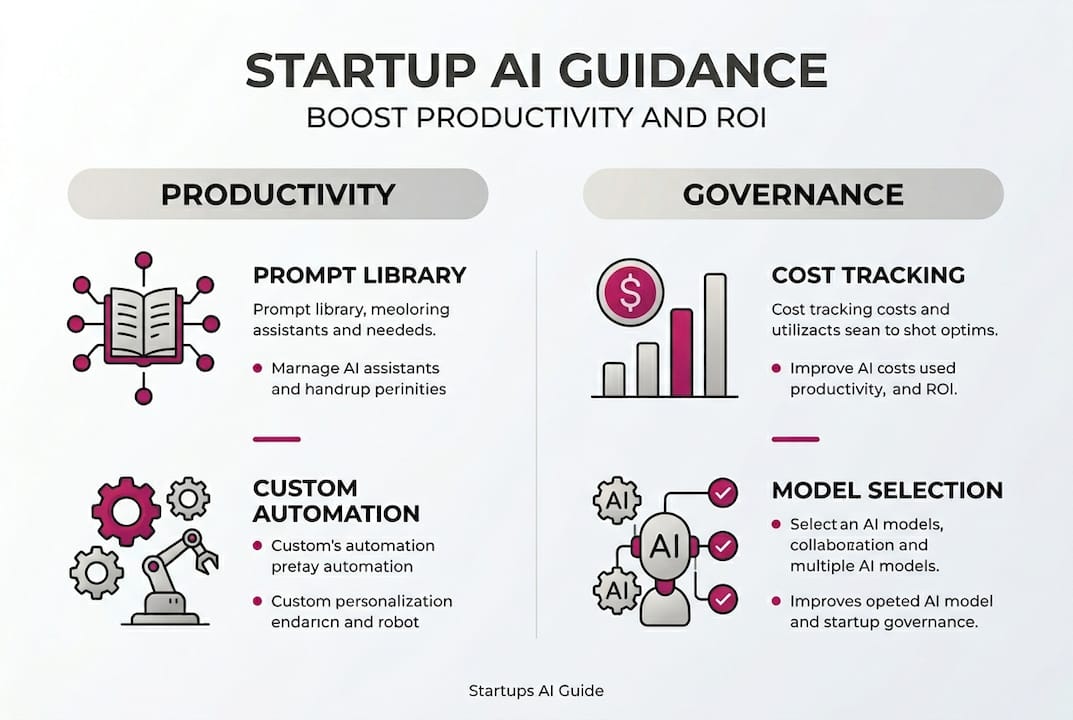
The TechNova case study is instructive here. By implementing a unified AI API gateway, TechNova consolidated multiple AI vendors, applied intelligent routing to select the right model for each task, and used batching and caching to eliminate redundant API calls. The result was an 80% cost reduction, dropping from $50,000 to $10,000 per month, alongside an 80% reduction in development time and a 3x increase in feature velocity. Those are not incremental gains. They are structural improvements that compound over time.
Here is a summary of the governance levers that matter most at scale:
| Governance area | What to track | Target outcome |
|---|---|---|
| Cost per task | API spend by use case | Identify and eliminate waste |
| Model selection | Which model handles which task | Optimize cost-to-quality ratio |
| Output quality | Rework rate by team and task | Measure actual productivity gain |
| Vendor consolidation | Number of active AI vendors | Reduce complexity and overhead |
| Privacy compliance | Data sent to external models | Maintain customer trust and legal standing |
Pro Tip: Set a monthly AI governance review on your calendar now, before your usage scales to the point where costs become a surprise. Review spend by team, output quality by use case, and vendor overlap. The teams that build this habit early avoid the painful retroactive cleanup that comes from unmanaged AI sprawl.
Scaling AI governance is also about model selection discipline. Not every task needs your most powerful and expensive model. Routing a simple summarization task to a lightweight model and reserving your premium model for complex reasoning tasks can cut costs dramatically without any loss in output quality. This is the kind of AI analytics and governance decision that requires visibility into your actual usage patterns, which is why monitoring is not optional at scale.
Privacy is the governance dimension that founders most often underestimate until it becomes a crisis. Before you scale AI usage, establish clear policies about what data can be sent to external models. Customer PII, proprietary source code, and confidential financial data all require explicit governance decisions. Build those guardrails before you need them, not after a customer asks where their data went.
Why the right guidance, not just adoption, defines startup AI success
Most conversations about AI adoption focus on the wrong metric. The question most founders ask is “how many of our team members are using AI tools?” The question that actually predicts competitive advantage is “how well are those tools guided to produce work that meets our standards?”
There is a real cost to confusing adoption for success. When AI usage is high but guidance is low, you get a team that is busy with AI but not faster because of it. Output still needs heavy rework. Decisions still require the same back-and-forth. The tool is present, but the leverage is not.
The teams that pull ahead are the ones that treat AI guidance as an ongoing operational practice, not a one-time setup. They iterate their system prompts the way they iterate their product. They benchmark their AI output quality the way they benchmark their engineering velocity. They treat AI success metrics as a real business indicator, not a vanity stat.
The uncomfortable truth is that most startups are leaving most of their AI investment on the table. Not because they chose the wrong tool. Because they never taught the tool how they work. Closing that gap is not a technology problem. It is a management discipline problem. And that means it is entirely within your control to fix.
Leverage analytics and governance for seamless AI integration
For startups ready to operationalize AI guidance, the next step is connecting your prompting methodology, custom assistants, and governance practices into a single observable system.
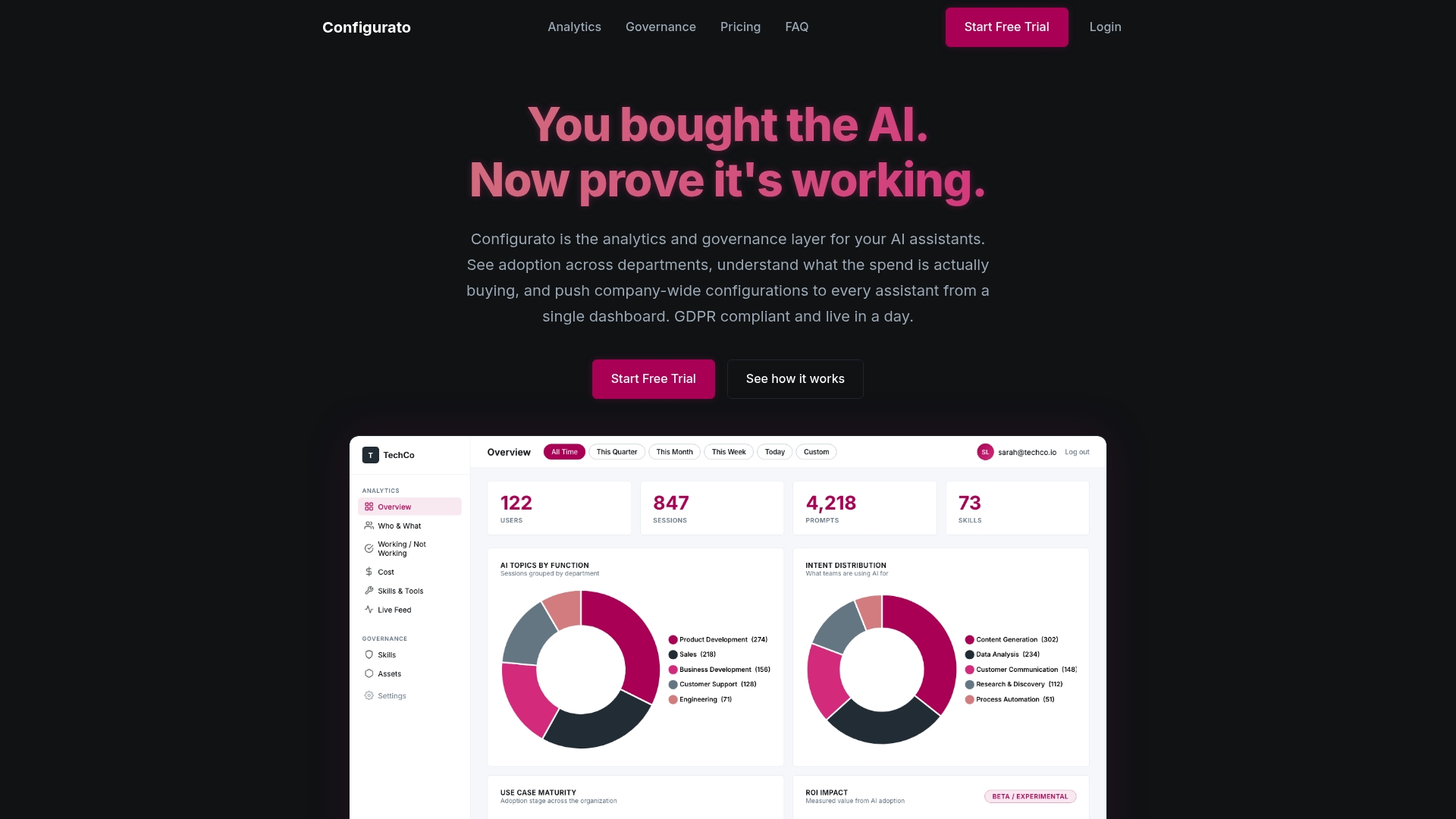
Tekkr’s AI analytics and governance platform is built specifically for this challenge. It embeds your company’s processes, quality standards, and domain knowledge directly into the AI assistants your team already uses, without requiring new tools or workflow changes. The output your team gets is already aligned with how your company operates. You also get the visibility to see where AI is accelerating work and where it is not, so you can iterate with confidence rather than guessing. If you are serious about turning AI adoption into a real competitive advantage, Tekkr is how you get there faster.
Frequently asked questions
What are the key steps to guide an AI assistant for startup tasks?
Start by specifying context and roles in your prompt, use iterative feedback, apply company-specific data, and employ chain-of-thought reasoning for complex tasks. HubSpot’s prompting research confirms these techniques consistently improve accuracy, productivity, and ROI for startup teams.
How much productivity improvement can startups expect from guided AI assistants?
Case studies show up to 44% faster PR merges, 39% fewer meetings, and 37.5% quicker onboarding when teams apply systematic AI guidance rather than generic prompting.
Which governance practices are most important when scaling AI assistants?
Monitoring performance, consolidating vendors, controlling costs, and selecting optimal models are the critical practices. The TechNova case shows these practices can cut AI costs by 80% while tripling feature velocity.
Can startups build their own custom AI assistants without coding expertise?
Yes. Modern tools like custom GPTs, Claude Projects, and Gemini Gems allow startups to store recurring prompts and context with minimal or no coding, eliminating the need to re-enter background information in every session.