
You rolled out AI assistants across your organization. Adoption metrics look solid. But the productivity gains you promised leadership? They’re not showing up. The problem isn’t the tools themselves. It’s that generic AI setup produces generic output, and generic output creates rework, not results. Properly configuring AI assistants to reflect your company’s processes, knowledge, and quality standards is the difference between a headline investment and a real competitive edge. This guide walks you through every step.
Table of Contents
- Prerequisites for configuring AI assistants in enterprise environments
- Step-by-step configuration of AI assistants
- Knowledge source grounding and behavioral constraints
- Human-in-the-loop and ongoing monitoring for reliability
- Verifying configuration and maintaining quality over time
- Why most enterprises underestimate AI configuration: A hard-won lesson
- Connect your AI assistants with enterprise-grade governance
- Frequently asked questions
Key Takeaways
| Point | Details |
|---|---|
| Access controls first | Activate organization opt-in and limit assistant access before any configuration begins. |
| Ground in trusted sources | Prioritize knowledge sources and restrict web search to boost reliability and compliance. |
| Tool configuration matters | Explicitly define agent tools, inputs, and authentication to constrain assistant behavior wisely. |
| Human supervision required | Add human-in-the-loop review and continuous monitoring to catch errors and maximize safety. |
| Verify then improve | Constantly measure assistant performance and update configurations to ensure lasting enterprise impact. |
Prerequisites for configuring AI assistants in enterprise environments
Now that the need for tailored configuration is clear, let’s start with the essential prerequisites every enterprise must check before touching a single setting.
Skipping prerequisites is where most deployments go sideways. You configure the assistant, push it to users, and then discover that half your team can’t access it, security hasn’t signed off, or the underlying account tier doesn’t support the features you need. That’s not a configuration problem. That’s a preparation problem, and it’s entirely avoidable.
The foundational requirement is organization-level access enablement, which must be configured before any end user can interact with an AI assistant. This is not a per-user toggle. It’s an org-wide opt-in that your platform administrator controls. Without it, individual configuration efforts are meaningless.
Beyond that, how to set up organization-level access is often the first conversation your IT and operations teams need to have together. It spans technical readiness, access governance, and security vetting simultaneously.
Here’s a checklist of what to confirm before you start:
- Enterprise account with AI assistant features enabled at the tenant level
- Verified internet access for the assistant’s deployment environment
- Defined access control list: who can use, author, and publish assistants
- Security and privacy review completed for any third-party AI tools
- Data classification policy confirmed so assistants only touch approved data
- IT and legal sign-off on any integrations with internal systems
This table summarizes the core prerequisites and who owns each:
| Requirement | Owner | Why it matters |
|---|---|---|
| Org-level AI enablement | IT Admin | Gates all end-user access |
| Enterprise account tier | Procurement/IT | Unlocks enterprise features |
| Access control policy | Security/HR | Controls who can author and use |
| Privacy and data review | Legal/Compliance | Prevents data exposure |
| Integration authentication | IT/Engineering | Enables secure tool connections |
| Internal use policy | Operations/HR | Sets behavioral expectations |
Getting decision intelligence embedded in your processes requires that the underlying governance infrastructure is already in place. Think of prerequisites as the foundation. The configuration you build on top only holds if the foundation is solid.

Step-by-step configuration of AI assistants
With all requirements in place, you’re ready for hands-on configuration. Here’s the step-by-step walkthrough that takes your assistant from a blank slate to a productive enterprise tool.
The core principle here is intentionality. Every setting you configure is a decision about how your assistant thinks, what it knows, and what it’s allowed to do. Leave a setting at its default and you’re making a passive choice, usually the wrong one for enterprise use.
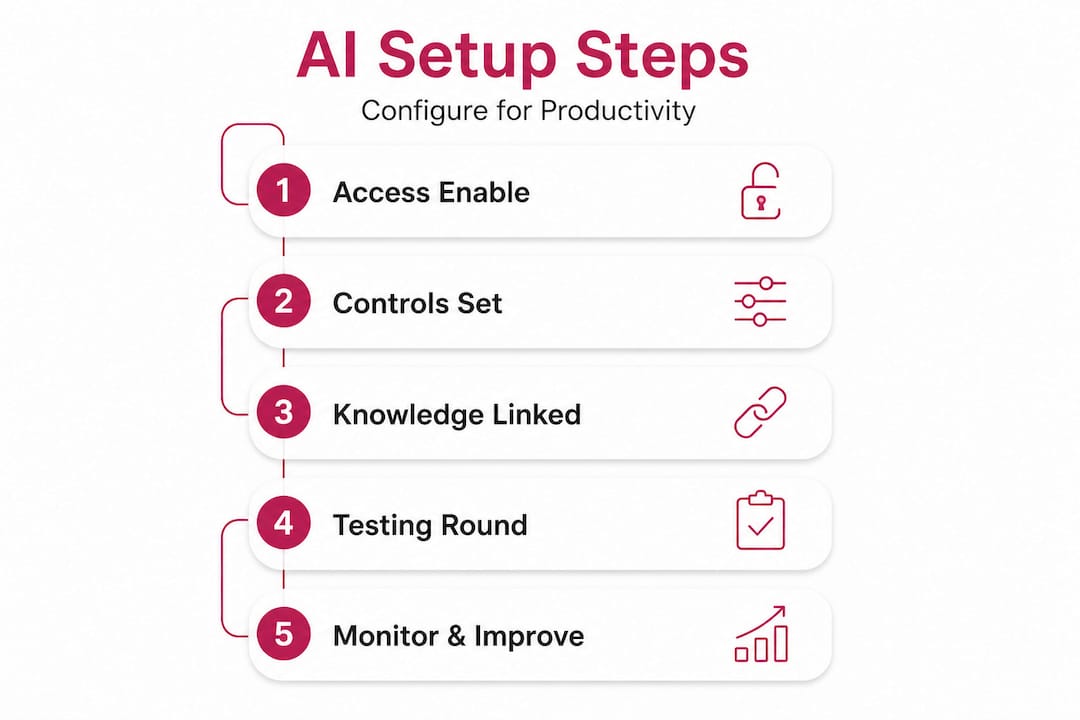
According to Microsoft’s Copilot Studio guidance, you configure instructions, knowledge sources, tools and capabilities, and prompts via the authoring UI, then test in an embedded “Try it” experience before publishing. That sequence matters. Don’t skip the testing phase because the authoring looks clean.
Here’s the step-by-step configuration process:
-
Write precise agent instructions. Define the assistant’s role, tone, scope of authority, and what it should never do. Think of this as the job description your assistant follows every single time.
-
Ground responses in vetted knowledge sources. Upload approved documents, link internal wikis, or connect to sanctioned data repositories. This is how the assistant learns your company’s context, not just the internet’s.
-
Configure tools and capabilities. Each tool has a name, description, input parameters, validation logic, and authentication requirements. The tool configuration spec should be treated like a contract: define it precisely or the assistant will fill in the gaps on its own.
-
Set up authentication for any system connections. If your assistant accesses CRM records, ticketing systems, or internal APIs, each integration needs its own authentication layer. Don’t share credentials across tools.
-
Define behavioral prompts and guardrails. Specify what the assistant should say when it encounters out-of-scope requests, sensitive topics, or ambiguous inputs. Silence is not a safe default.
-
Test in the embedded environment. Use the “Try it” experience to run scenarios before any user touches the assistant. Include edge cases, not just the happy path.
-
Publish to a controlled pilot group first. Start with 10 to 20 users before org-wide rollout. Their feedback will surface gaps that no testing environment fully captures.
Pro Tip: Run at least three rounds of iterative testing with real user scenarios before publishing. Each round should use different personas: a power user, an occasional user, and someone unfamiliar with the process the assistant is supporting. The gap between what you intended and what they experience is where your configuration needs the most work.
This table compares common enterprise configuration approaches:
| Approach | Speed | Customization | Risk level | Best for |
|---|---|---|---|---|
| Default/out-of-box | Fast | Minimal | High | Demos only |
| Template-based | Medium | Moderate | Medium | Departmental pilots |
| Full custom configuration | Slow initially | High | Low when done right | Enterprise-wide deployment |
| Embedded governance layer | Ongoing | Very high | Lowest | Scaling across teams |
Analytics for AI configuration become especially valuable at this stage, helping you understand which configurations are driving engagement versus which are creating friction. Don’t wait until production to start measuring.
Building competitive AI strategies depends on custom configuration done at this depth. Organizations that treat this step as a one-afternoon task will find themselves back at square one within months.
Knowledge source grounding and behavioral constraints
Beyond instructions and tools, your AI assistant’s reliability depends on what information it draws from. Here’s how to enforce trust and control over that knowledge layer.
This is arguably the most underinvested part of enterprise AI configuration. Leaders spend time on instructions and tools, then point the assistant at the open web and call it done. That’s the equivalent of hiring a consultant and telling them to get their context from Google. The output will be plausible but not grounded in your reality.
Knowledge source grounding is explicitly configurable: you can limit the agent to specified sources and control web search behavior entirely. This is a lever most enterprises leave untouched.
Best practices for knowledge scoping:
- Upload only documents that have been reviewed and approved for AI use
- Version-control your knowledge sources so the assistant never references outdated policies
- Prioritize internal sources over web search for role-specific tasks
- Segment knowledge by department or role to prevent cross-functional data leakage
- Audit knowledge sources quarterly and remove anything no longer current
- Document what’s included and what’s intentionally excluded for compliance traceability
Governance for knowledge sources is not a technical concern alone. It requires input from legal, compliance, and the business owners who understand what “accurate” actually means in your context.
Pro Tip: Disable web search by default for any assistant handling internal processes, HR queries, financial data, or customer-facing communications. You can always create a separate web-enabled assistant for research tasks. Mixing trusted internal sources with unconstrained web search in a single assistant is a reliability risk that compounds over time.
One data point worth noting: organizations that ground their AI assistants in curated internal knowledge sources consistently report fewer hallucinations and lower rates of output rework, because the assistant is reasoning from verified context rather than probabilistic web data. The investment in curation pays back quickly.
Human-in-the-loop and ongoing monitoring for reliability
Once assistants are constrained and their knowledge grounded, staying reliable over time requires smart monitoring and human oversight baked into the workflow itself.
Automation is powerful. But automation without a review layer is how small errors become large incidents. For any AI assistant operating in high-stakes workflows, such as approvals, customer communications, or compliance-adjacent tasks, human review steps are not optional. They are a configuration requirement.
“AI systems can and do get things wrong. Human-in-the-loop oversight is not a workaround for weak AI. It is a deliberate design choice that separates safe deployment from reckless deployment.”
Human-in-the-loop requirements and continuous monitoring are explicitly part of trusted AI implementation guidance, and they apply regardless of how well you’ve configured the assistant.
Here’s how to set up enterprise monitoring:
-
Enable usage logging at the organization level. Capture every interaction, not just errors. Patterns in normal usage reveal configuration drift before it becomes a problem.
-
Define escalation thresholds. Decide in advance what triggers a human review: confidence below a certain threshold, specific topics, external data requests, or user-flagged outputs.
-
Build internal incident reporting. Create a simple process for users to flag incorrect, unexpected, or concerning assistant outputs. Make it frictionless or people won’t use it.
-
Assign a configuration owner. Someone on your team needs to own the assistant’s behavior and be accountable for reviewing incident reports and acting on them.
-
Schedule monthly configuration reviews. Usage patterns change. Business processes change. Your assistant’s configuration needs to keep pace with both.
Monitoring and incident reporting for AI should connect directly to your broader operational governance, not sit in isolation as a technical afterthought.
Verifying configuration and maintaining quality over time
No assistant stays optimal forever. Here’s how to continuously verify configuration and maintain enterprise-grade quality as your organization evolves.
Configuration drift is real. A product that works well at launch can degrade quietly as knowledge sources age, processes shift, and user behavior reveals edge cases you didn’t anticipate. The organizations that sustain AI productivity gains are the ones that treat verification as an ongoing discipline, not a launch milestone.
Production evaluation and regression testing are central to maintaining assistant quality, and the standard is now measuring business impact, not just user satisfaction. Whether users like an assistant is irrelevant if it’s not producing accurate, usable output.
Key metrics to track:
| Metric | What it measures | Target benchmark |
|---|---|---|
| Task completion rate | % of interactions where user goal is fully met | Above 85% |
| Hallucination rate | % of outputs containing unverified or incorrect facts | Below 5% |
| Output rework rate | % of AI outputs requiring significant human editing | Below 20% |
| Escalation rate | % of tasks routed to human review | Defined per workflow |
| Knowledge source freshness | Days since last knowledge audit | Under 90 days |
| Regression test pass rate | % of standard scenarios passing after config changes | 100% before publish |
KPIs and test automation for AI help you move from gut-feel quality checks to systematic, evidence-based governance that you can report to leadership.
Ongoing verification best practices:
- Run automated regression tests after every configuration change, no exceptions
- Review transcripts from the bottom 10% of rated interactions monthly
- Update knowledge sources whenever a process, policy, or product changes
- Benchmark your metrics against industry norms, not just your own history
- Involve business stakeholders in quarterly quality reviews, not just IT
The goal is not perfection at launch. The goal is a system that gets better over time because you’ve built the feedback loops to make that happen.
Why most enterprises underestimate AI configuration: A hard-won lesson
Stepping back, here’s what most teams miss, and what you can do differently for lasting success.
The most common mistake we see is treating configuration as a deployment task rather than a business capability. Teams rush to get the assistant live because leadership wants to see adoption numbers. They configure the minimum viable setup, push it out, and then wonder why usage drops after the first month.
The hidden cost is not the rework users do after getting bad output. It’s the quiet abandonment. Users try the assistant twice, get responses that don’t reflect how your company actually works, and go back to doing things manually. Adoption metrics stay flat. The ROI case collapses. And nobody connects it to the configuration shortcut taken three months earlier.
The other underestimated factor is that configuration is a cross-functional initiative. It is not an IT project. The people who know what good output looks like in your organization are in product, operations, sales, finance, and legal. They need to be involved from the start, not consulted at the end.
Enterprise configuration done right means your legal team defines what the assistant can and cannot say about contracts. Your operations lead specifies which process steps are mandatory. Your finance team approves which data sources the assistant can reference. When those inputs are embedded in configuration, the output doesn’t need correction. It’s already right.
Pro Tip: Before your first configuration session, run a 90-minute workshop with both business and technical stakeholders. Ask each group: “What does a wrong answer from this assistant look like?” Their answers will define your guardrails, knowledge requirements, and human review thresholds better than any vendor template.
The enterprises winning with AI are not the ones with the most tools deployed. They’re the ones who configured those tools to think the way the business thinks. That’s not a one-time setup. It’s an ongoing commitment to operational excellence.
Connect your AI assistants with enterprise-grade governance
Having learned the essentials, here’s how to streamline your configuration, monitoring, and analytics with enterprise-ready tools.
Every section of this guide describes work that needs a reliable system behind it. Defining quality standards, distributing them to AI assistants, enforcing them at output time, and tracing performance over time are not manual processes you want to rebuild every quarter.
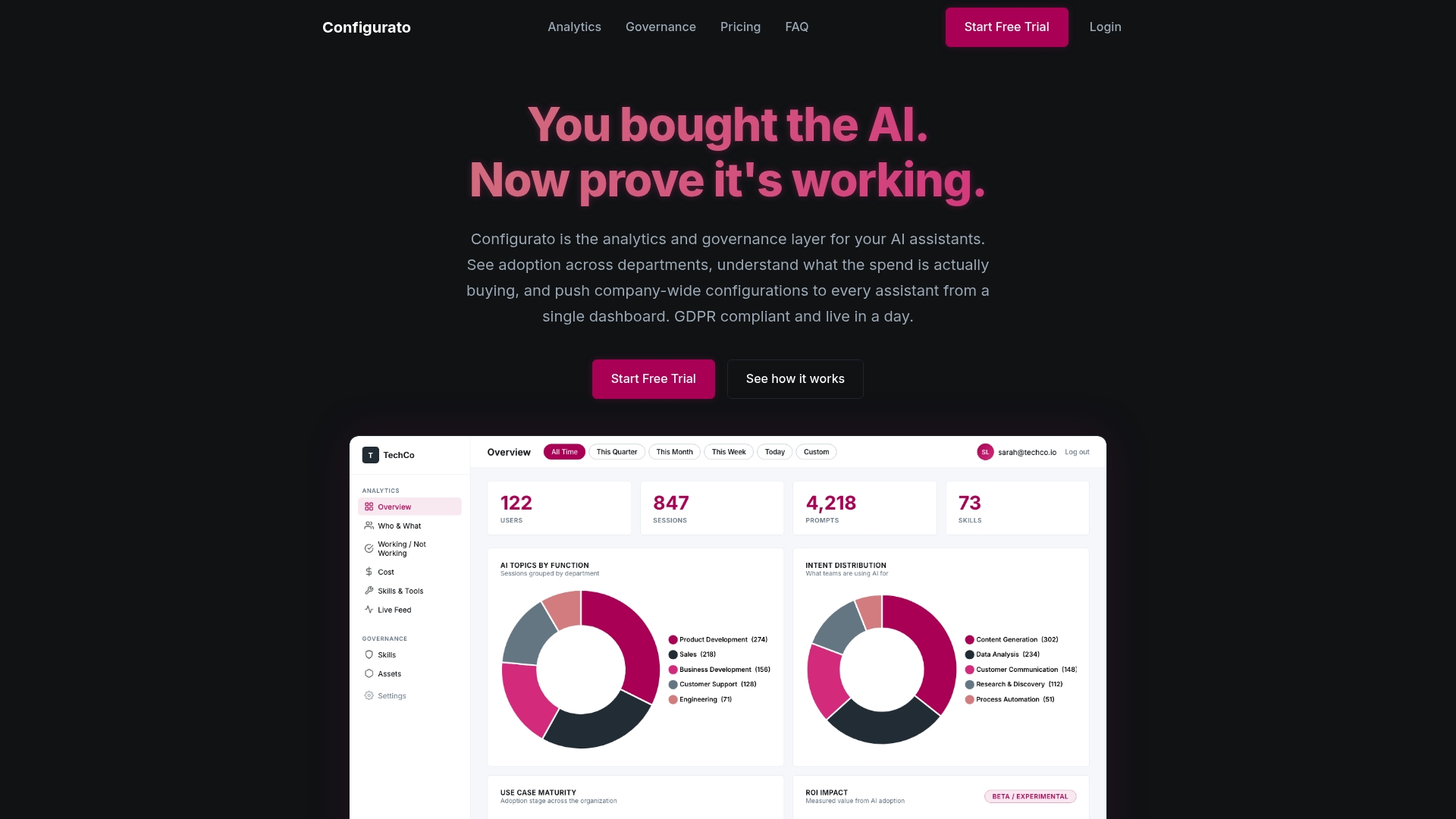
Configurato by Tekkr gives enterprise teams the governance layer that makes all of this sustainable. We embed your processes, quality gates, and domain knowledge directly into your AI assistants, vendor-agnostic across Claude, GPT, Copilot, and Gemini. The result is AI that already knows how your company works, without retraining your team or rebuilding your workflows. Analytics, KPI tracking, and cross-company benchmarking are built in so you can see exactly where AI is accelerating work and where it still needs refinement.
Frequently asked questions
How do I enable organization-level access for AI assistants in an enterprise platform?
Org admins must toggle AI assistant use in Organization Settings to ensure internet access and an enterprise account are in place before end-user access is activated. This is a prerequisite step, not a per-user configuration.
What are the most important security steps during configuration?
Define access controls and authentication for every tool your assistant connects to, and ground responses in trusted internal knowledge sources rather than open web search. The tool authentication spec should treat each integration as a separate security boundary.
Can I control what sources my AI assistant uses?
Yes. You can upload or link approved sources and restrict web search behavior entirely through agent configuration settings. Disabling web search for internal-process assistants is a recommended default.
How do I monitor and report AI assistant incidents?
Enable usage logs at the organizational level, create a frictionless internal reporting process for users to flag bad outputs, and require human-in-the-loop review for any high-risk workflows. Assign a named configuration owner who is accountable for acting on incident reports.
What KPIs or metrics should I track to verify quality?
Track task completion rate, hallucination rate, output rework rate, and regression test pass rate alongside real business impact. Production evaluation standards have moved well beyond user satisfaction as the primary signal of assistant quality.