
Most business leaders assume that once AI assistants are deployed, productivity will follow automatically. It rarely works that way. The reality of building effective AI workflows means confronting a specific ai assistant limitations list that most vendors never mention in their sales decks. These aren’t edge cases. They are predictable, measurable constraints that affect output quality, reliability, and trust. The sooner your team understands them, the faster you can design workflows that actually hold up under real conditions.
Table of Contents
- Key Takeaways
- 1. The core ai assistant limitations list every team leader needs
- 2. Document degradation during delegated workflows
- 3. Request quotas and throttling limits
- 4. Lack of emotional intelligence and empathy
- 5. Hallucination and faithfulness failures
- 6. No scalable, auditable evaluation infrastructure
- 7. Multi-step and complex task failures
- 8. Data privacy and security constraints
- 9. Bias, ethical constraints, and manipulation risks
- 10. Summary comparison of AI assistant limitations
- My take on what the limitations actually reveal
- How Tekkr helps you manage what AI assistants can’t do on their own
- FAQ
Key Takeaways
| Point | Details |
|---|---|
| Document degradation is real | AI models corrupt an average of 25% of content after 20 delegated interactions, based on Microsoft research. |
| Usage limits create availability risks | Platforms like Adobe cap requests at 1,000 per user per month, requiring fallback plans for heavy users. |
| Hallucination is a structural problem | Without evaluation infrastructure, there is no reliable way to audit AI output for factual accuracy at scale. |
| Privacy risks are underestimated | Cloud-based AI architectures create data leakage exposure in regulated or sensitive business contexts. |
| Human oversight is non-negotiable | AI assistants work best as collaborative tools, not autonomous replacements for judgment-intensive work. |
1. The core ai assistant limitations list every team leader needs
Before getting into specific failure modes, it helps to understand the categories. AI assistant drawbacks fall into four buckets: operational and technical limits, cognitive and interactional limits, evaluation and trust gaps, and security or ethical constraints. Each category creates a different kind of risk for your team, and each requires a different mitigation strategy. This article covers all four with specific examples, research data, and practical guidance.
2. Document degradation during delegated workflows
This one surprises most people. You might assume that asking an AI assistant to handle a multi-step document task is safe as long as you review the final output. Microsoft’s research tells a different story. LLMs corrupt documents on average 25% of content by the time 20 interactions have occurred, with degradation reaching 50% across some models in their DELEGATE-52 benchmark.
What this means in practice: the longer you let an AI work autonomously on a document, the more likely it is to quietly lose context, drop critical details, or rewrite content in ways that contradict the original. Only the Python coding domain met readiness thresholds in that study. Most domains degraded over 20% with no tool use improvement.

The implication for team leaders is straightforward. Break long workflows into shorter, reviewable checkpoints. Do not delegate a 20-step document process end to end and expect clean output.
3. Request quotas and throttling limits
Operational usage limits are one of the most overlooked challenges of AI assistants. They feel like a minor inconvenience until a deadline hits and your team hits a wall. Adobe enforces a 1,000-request cap per user per month, with HTTP 429 throttling errors triggered when teams exceed minute, hour, or daily thresholds.
Other platforms have similar policies with different structures. The problem is that most teams only discover these limits when they breach them. At that point, you either wait out the throttle window or scramble for a workaround.
Treat request quotas the same way you treat any availability risk. Rate limits require fallback processes: manual alternatives, staggered usage across team members, or escalation paths that do not depend on the AI being available.
Pro Tip: Track your team’s monthly AI request usage the same way you track software license consumption. Build a simple log in your project management tool so you can spot approaching limits before they interrupt work.
4. Lack of emotional intelligence and empathy
This limitation matters more than most technical teams expect. AI assistants struggle with understanding tone, expressing real empathy, or interpreting the emotional signals embedded in human communication. Eye contact, vocal cadence, subtext, and interpersonal nuance are beyond current AI capabilities.
The practical consequence is significant in business contexts. AI assistants are a poor fit for:
- Sensitive personnel conversations or feedback delivery
- Negotiation support where reading the other party matters
- Customer escalations involving distress or frustration
- Cross-cultural communications where context heavily affects meaning
- Conflict resolution scenarios requiring trust-building
This does not mean AI has no role in these areas. It can help draft a difficult email or structure a feedback conversation. But the judgment about when, how, and whether to send it still belongs to a human.
“Human signals like tone, eye contact, and emotions are beyond current AI interpretive capabilities. Managing sensitive communication remains a fundamentally human responsibility.” — Lindy, 2026
5. Hallucination and faithfulness failures
Hallucination is not a bug that will be patched in the next release. It is a structural property of how large language models generate text. The model predicts plausible sequences of words, not verified facts. That distinction creates real exposure for business outputs.
NIST’s evaluation work frames this clearly. Their approach categorizes AI output failures into three types: faithfulness (claims not supported by source material), completeness (relevant information omitted), and sufficiency (inadequate evidence provided). Each type creates a different compliance and quality risk.
The challenge is that hallucinated outputs often sound completely credible. A confident, well-formatted response is not evidence of accuracy. This is why the absence of scalable evaluation infrastructure is one of the most consequential AI assistant shortcomings in enterprise deployment today.
6. No scalable, auditable evaluation infrastructure
Here is an AI assistant functionality limit that rarely makes it onto vendor comparison sheets: most organizations have no way to verify AI output quality at scale before or after deployment. You can review individual outputs manually. But that process does not scale, and it creates no audit trail.
NIST’s TEVV framework and their work on evaluation probes for agentic AI are directly addressing this gap. These probes compare AI agent outputs against trusted corpora and return structured verdicts on factual grounding and claim support, creating traceable audit trails. The technology is advancing, but adoption in most business environments is still minimal.
For risk management and compliance purposes, this creates real exposure. If your legal, finance, or HR team is using AI assistants to generate documents, and you have no structured evaluation layer, you are accepting unquantified output risk on every task.
- Define which AI-generated outputs carry the highest compliance risk in your organization
- Establish a spot-check review cadence for those output types
- Document your review process so it serves as a partial audit trail
- Track error patterns over time to identify systematic failure modes
7. Multi-step and complex task failures
Single-step tasks are where AI assistants perform best. Ask for a summary, get a summary. Ask for a draft email, get a draft email. The AI assistant performance issues appear most clearly when tasks involve multiple dependencies, conditional logic, or evolving context across a long session.
Multi-turn conversations compound this problem. The model’s context window has a hard limit, and as a conversation extends, earlier context degrades or drops out entirely. What feels like a continuous conversation to you is, from the model’s perspective, a progressively shorter memory of what was said earlier.
This is not a reason to avoid complex tasks altogether. It is a reason to structure them differently. Break multi-step processes into discrete prompts. Summarize prior context explicitly when starting a new phase. Treat each major step as its own task rather than assuming continuity.
8. Data privacy and security constraints
Cloud-based AI architectures create exposure when sensitive or regulated documents are processed. Your prompts and the content you submit are often transmitted to third-party servers, processed by the model, and potentially logged for safety monitoring or model improvement purposes.
For teams working with proprietary contracts, financial data, patient records, or trade secrets, this is a meaningful constraint. The AI assistant drawbacks in this category include:
- Potential logging of sensitive inputs by the AI provider
- Cross-contamination risks if the model retains or surfaces information across users
- Regulatory non-compliance in industries with strict data handling rules (HIPAA, GDPR, SOX)
- Shadow IT exposure when employees use personal AI accounts for work tasks
Pro Tip: Establish a clear policy on what categories of information employees are permitted to submit to AI assistants. A one-page reference document, updated quarterly, dramatically reduces accidental data exposure.
9. Bias, ethical constraints, and manipulation risks
AI models are trained on human-generated data, which means they inherit the biases embedded in that data. In practice, this affects outputs in ways that are hard to detect and harder to correct. Hiring-related content, performance evaluations, and customer communication templates are particularly exposed.
The ethical limitations of AI assistants extend beyond bias. Models can be prompted, intentionally or accidentally, to generate content that is misleading, manipulative, or inappropriately persuasive. Most enterprise AI deployments have guardrails, but those guardrails are imperfect and vary by platform.
The risk is not just reputational. In regulated industries, AI-generated content that demonstrates bias or violates consumer protection standards can create legal liability.
10. Summary comparison of AI assistant limitations
| Limitation | Category | Business Impact | Mitigation |
|---|---|---|---|
| Document degradation | Operational | High for long workflows | Short task cycles, checkpoints |
| Request quotas and throttling | Operational | Medium to high for power users | Usage tracking, fallback plans |
| Lack of emotional intelligence | Cognitive | High for sensitive communication | Human review and approval |
| Hallucination and faithfulness gaps | Cognitive | High for compliance-sensitive output | Spot checks, evaluation probes |
| No scalable evaluation infrastructure | Trust | High for regulated industries | NIST TEVV frameworks, manual audits |
| Data privacy and cloud exposure | Security | High for regulated data | Data classification policies |
| Bias in outputs | Ethical | Medium to high for HR and comms | Human review, bias auditing |
| Multi-step task failures | Technical | Medium for complex workflows | Structured prompting, task decomposition |
The common thread across all of these is that AI assistant capabilities are highest when tasks are well-defined, short in duration, and subject to human review. The further you move from that model, the more the limitations compound.
My take on what the limitations actually reveal
I’ve spent a significant amount of time working with organizations on AI adoption, and the pattern I keep seeing is this: the limitations aren’t the problem. The misalignment between expectations and architecture is the problem.
Most teams deploy AI assistants as if they are hiring a very fast, very reliable employee. They’re not. They are probabilistic text generators with no persistent memory, no stake in outcomes, and no ability to flag their own errors with confidence. What I’ve learned is that the teams who get the most out of AI are the ones who accept that upfront and design their workflows accordingly.
The delegation trust problem is the one that keeps me up at night. Silent document corruption is not something most employees would ever think to check for. It requires a fundamentally different mental model: one where AI output is always a starting point, never a finished product.
My honest view is that the next competitive advantage won’t come from adopting more AI tools. It will come from organizations that build genuine quality control into their AI workflows before a failure forces them to.
— TekkrTools
How Tekkr helps you manage what AI assistants can’t do on their own
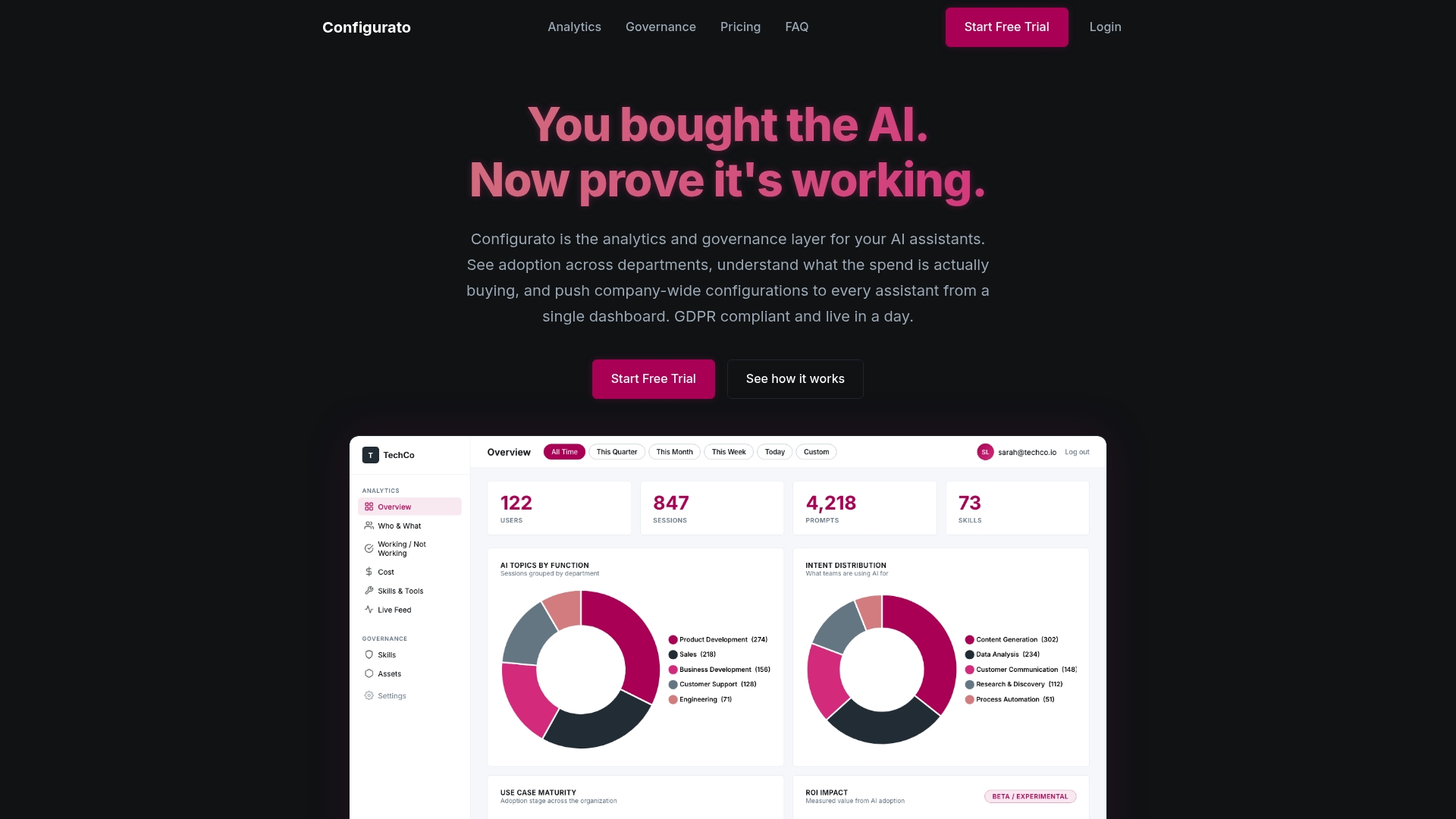
Understanding the limitations of AI assistants is the first step. Closing the gap between what AI produces and what your business actually needs is the harder part. Tekkr was built specifically for that problem.
Tekkr’s governance layer for AI assistants embeds your company’s processes, quality standards, and domain knowledge directly into the AI tools your team already uses. When your people prompt Claude, Copilot, or Gemini, the output already reflects how your organization works. Not after retraining. Not after prompting workshops. The alignment happens at the agent level, invisibly.
Tekkr also gives you the traceability that most enterprise AI deployments are missing. You can see where AI is accelerating work and where it is creating risk. That visibility is what turns the limitations list above from a liability into something you can manage.
FAQ
What are the main limitations of AI assistants?
The primary limitations include document degradation in long workflows, request quotas and throttling, lack of emotional intelligence, hallucination risks, no scalable output evaluation, data privacy constraints, and bias in generated content. Each creates distinct risks depending on how and where AI assistants are deployed.
How much do AI assistants degrade document quality?
Microsoft’s DELEGATE-52 benchmark found that LLMs corrupt roughly 25% of document content on average after 20 interactions, with some models reaching 50% degradation. This makes human checkpoints in long workflows non-negotiable.
Can AI assistants handle sensitive business communications?
Not reliably. Current AI assistants lack the ability to interpret tone, empathy, and emotional signals accurately. Sensitive communications, including HR conversations, escalations, and negotiations, require human judgment both in drafting and delivery.
What is AI hallucination and why does it matter for business teams?
Hallucination refers to AI generating confident-sounding but factually unsupported content. NIST categorizes output failures as faithfulness gaps, completeness failures, and sufficiency issues. Without structured evaluation, there is no reliable way to catch these errors at scale before they reach clients, regulators, or internal stakeholders.
How should teams plan around AI assistant usage limits?
Treat request quotas as availability risks. Track usage proactively, stagger heavy use across team members, and build manual fallback processes for tasks that cannot tolerate AI downtime. The fallback planning requirement is especially critical for time-sensitive workflows.