
Deploying AI assistants across your enterprise sounds like a straightforward productivity win. In practice, it rarely works out that way. Teams adopt tools, usage metrics climb, and leadership declares success. But the actual output quality stays flat, rework piles up, and the competitive edge you expected never arrives. The gap isn’t the technology. It’s the absence of clear frameworks for defining what AI assistants should do, how they should behave, and who is responsible when they don’t. This guide gives you a practical, evidence-based path through that gap, covering use case design, workflow architecture, performance evaluation, and governance at scale.
Table of Contents
- Clarifying use cases: From assistive to agentic AI assistants
- Designing effective enterprise AI workflows
- Evaluating performance and limitations: Benchmarks and edge cases
- Governance and the emerging ‘Agent Steward’ model
- Why most AI assistant ‘best practices’ guides miss the mark
- Connect your AI assistant strategy with robust analytics and governance
- Frequently asked questions
Key Takeaways
| Point | Details |
|---|---|
| Understand AI assistant types | Clearly define whether your use case requires assistive support or full agentic autonomy to select the right model. |
| Start narrow and iterate | Initial deployments should focus on narrow, well-understood tasks using established frameworks to minimize risk. |
| Anticipate edge cases | Benchmark performance and proactively test for failure modes to avoid costly errors in production. |
| Prioritize governance | Establish the Agent Steward role and control policies to ensure compliance, security, and ongoing alignment. |
Clarifying use cases: From assistive to agentic AI assistants
With the landscape rapidly evolving, the first step is understanding precisely which type of AI assistant your use case demands.
Not all AI assistants are built the same, and treating them as interchangeable is one of the most common mistakes operations leaders make. There is a meaningful spectrum here, and where your use case falls on that spectrum should drive every design decision that follows.
Assistive AI sits at one end. These tools support human decision-making by generating suggestions, summarizing content, drafting responses, or flagging anomalies. The human reviews the output and decides what to do with it. Think of a sales rep using a chatbot to draft follow-up emails, or a support agent using an AI tool to pull relevant knowledge base articles. The AI assists. The human acts.
Agentic AI sits at the other end. These systems can execute tasks with a meaningful degree of autonomy. They don’t just suggest the next step. They take it. An agentic AI assistant might receive a task, break it into subtasks, call external APIs, update records, and report back with a completed result. The human defines the goal and reviews the outcome, but the middle is largely automated.
The industry is moving fast toward the agentic end. Gartner expects most enterprises to abandon assistive AI for outcome-focused agentic workflows by 2028, with over 50% making that shift. That’s a significant signal. But it doesn’t mean every use case needs full agent autonomy today.
“The question isn’t whether to go agentic. It’s whether your process, your data, and your governance are ready to support it.” This distinction matters enormously when you’re scoping a new AI initiative.
Use these criteria to decide where your use case falls:
- The task is repetitive and well-defined: agentic workflows are a strong fit.
- The task requires nuanced human judgment at every step: start with assistive AI.
- Errors in the output carry high business risk: keep humans in the loop longer.
- The process involves multiple systems and handoffs: agentic frameworks can reduce friction significantly.
- Your team lacks the governance infrastructure to monitor autonomous actions: build that first.
Exploring AI assistant governance strategies before you commit to a model type will save you significant rework down the line. Getting the use case classification right is the foundation everything else is built on.
Designing effective enterprise AI workflows
Once you’ve clarified which model fits, the next challenge is designing robust workflows for your chosen approach.
Workflow design is where most enterprise AI initiatives either gain traction or stall. The instinct is to go broad. Leaders want to see AI touching as many processes as possible, as quickly as possible. That instinct is understandable, but it’s also how you end up with a dozen half-working integrations and a team that’s lost confidence in the technology.
The best practices for building effective AI agents are clear on this point: start with narrow, well-defined tasks and expand from there. Not every use case needs full agent autonomy. Simpler workflow tools or chatbot models are often the right call, especially in the early stages of adoption.

Here’s a practical comparison to illustrate the difference:
| Dimension | Traditional chatbot workflow | Agentic AI framework |
|---|---|---|
| Task scope | Single-turn, bounded queries | Multi-step, cross-system tasks |
| Human involvement | High, at every output | Low to moderate, at task boundaries |
| Error recovery | Manual | Partially automated |
| Setup complexity | Low | High |
| Best for | FAQs, simple lookups | Process automation, complex workflows |
When you’re ready to move beyond chatbots, frameworks like LangChain and CrewAI give you structured approaches to building agentic workflows. LangChain is particularly useful for chaining together sequences of AI calls with external tool integrations. CrewAI specializes in multi-agent coordination, where different AI agents take on distinct roles and collaborate toward a shared goal. Both frameworks support the kind of iterative, modular design that enterprise environments require.
Here’s a step-by-step approach to workflow design that works in practice:
- Define the task boundary clearly. What triggers the workflow? What does a completed output look like? What happens if the AI can’t complete it?
- Map the data dependencies. What information does the AI need access to? Where does that data live, and what are the access controls?
- Choose your framework based on complexity. Simple sequential tasks don’t need multi-agent orchestration. Match the tool to the problem.
- Build a minimum viable workflow first. Get one end-to-end path working before you add variations or edge case handling.
- Test with real users before scaling. Synthetic test cases miss the messy reality of how people actually interact with AI systems.
- Document the failure modes. What does the workflow do when it hits an unexpected input? Define that behavior explicitly.
Pro Tip: Resist the urge to automate everything at once. Teams that start with one well-designed workflow, build trust in it, and then expand consistently outperform teams that try to deploy broadly from day one. Complexity is the enemy of adoption. Keep your first enterprise AI assistant design simple enough that your team can actually understand what the AI is doing and why.
Evaluating performance and limitations: Benchmarks and edge cases
Having built out your workflow, you’ll need an honest framework for performance evaluation, since initial results may not always meet expectations.
Here’s something most vendors won’t tell you upfront: current AI assistants hit accuracy ceilings. Even the most capable coding agents available today show a plateau in the 85 to 89% accuracy range on standard benchmarks. Devin, one of the most publicized autonomous coding agents, scores 51.5% on SWE-bench while costing $2.40 per 1,000 lines of code, compared to GitHub Copilot at $0.19 per 1,000 lines. That cost differential matters enormously when you’re operating at enterprise scale.
The accuracy plateau is important to understand because it shapes your workflow design. If your process requires 99% accuracy to be useful, an AI assistant that tops out at 87% isn’t a productivity tool. It’s a liability generator. You need to design human review checkpoints that are calibrated to the actual error rate of your chosen system.
Edge cases are where most failures happen. Research on AI agent error analysis shows that agents struggle significantly with boundary conditions, null checks, spec alignment, and multi-turn debugging scenarios. The numbers are sobering: 42% wrong answers and 14% timeouts in complex multi-turn tasks. These aren’t rare outliers. They’re predictable failure patterns that your workflow design needs to account for.
Common failure modes to watch for include:
- Wrong output due to ambiguous or underspecified prompts
- Timeouts when the agent encounters unexpected system states
- Spec mismatches where the AI’s output is technically correct but doesn’t meet business requirements
- Subtle bugs in generated code or content that pass surface-level review but fail in production
- Context loss in long conversations or multi-step workflows, where the agent loses track of earlier constraints
- Overconfident outputs where the AI presents an incorrect answer with high apparent certainty
For AI performance evaluation, build a testing framework that goes beyond benchmark scores. Benchmark results tell you how a system performs on standardized tasks. Your enterprise workflows are not standardized tasks. They have your specific data structures, your edge cases, your user behaviors. Run your own evaluations using real process scenarios before you commit to any AI assistant at scale.
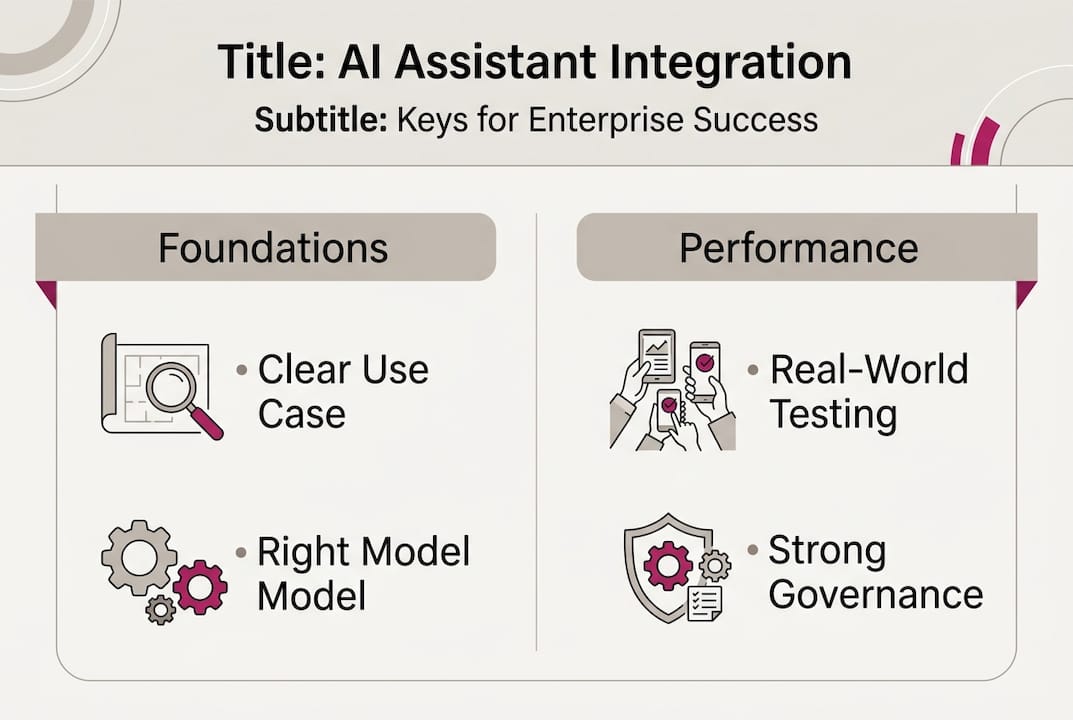
A practical evaluation framework should include accuracy testing on representative tasks, latency measurement under realistic load, cost modeling at projected usage volumes, and explicit testing of the failure modes listed above. Don’t skip the failure mode testing. That’s where the real surprises live.
Governance and the emerging ‘Agent Steward’ model
Robust governance ensures that your impressive workflows and agents are actually delivering business value and not introducing new risks.
As AI assistants gain more autonomy, the governance question becomes urgent. Who is responsible when an agentic workflow makes a bad decision? How do you prevent an AI system from taking actions that are technically within its permissions but outside the spirit of your policies? These aren’t hypothetical concerns. They’re operational realities that enterprises are navigating right now.
The emerging answer is the Agent Steward model. Gartner’s analysis describes enterprises moving toward platforms with execution authority and control planes for identity and policy management, with humans serving as Agent Stewards who oversee AI integration, alignment, and compliance. This is a meaningful shift from thinking of AI as a tool that individuals use to thinking of it as a system that the organization operates.
“The Agent Steward isn’t a technical role. It’s an accountability role. Someone needs to own the relationship between your AI systems and your business processes—and that person needs both authority and visibility to do it well.”
Setting up effective governance means addressing three layers:
- Identity and access control. Every AI agent in your environment should have a defined identity with explicit permissions. What systems can it access? What actions can it take? What data can it read or write? These boundaries need to be set deliberately, not inherited from the human user who triggered the workflow.
- Policy definition and enforcement. Document what your AI assistants are and are not allowed to do. This includes content policies, data handling rules, escalation triggers, and approval requirements for high-stakes actions. These policies need to be machine-readable, not just documented in a wiki somewhere.
- Monitoring and audit trails. Every significant action an AI agent takes should be logged. You need to be able to answer the question “what did our AI do, and why?” for any given workflow execution. This is essential for debugging, compliance, and continuous improvement.
Here’s a practical governance setup sequence:
- Assign an Agent Steward for each major AI workflow or system. This person owns the policy, monitors performance, and escalates issues.
- Define the control plane. Establish identity management, permission boundaries, and access controls before deploying any agentic system.
- Write explicit policies for AI behavior. Cover content, data, escalation, and approval requirements in writing.
- Set up monitoring dashboards that surface anomalies, error rates, and usage patterns in real time.
- Schedule regular review cycles. Policies that made sense at launch may need adjustment as the workflow evolves and usage patterns shift.
Pro Tip: Watch for autonomy drift. This happens when an AI system gradually takes on more scope than it was originally designed for, often because users find workarounds or because the system’s capabilities expand over time. Regular governance reviews, at least quarterly, are the most effective way to catch and correct this before it creates real risk.
Effective AI agent governance isn’t a one-time setup. It’s an ongoing operational discipline that needs the same rigor you’d apply to any other critical business process.
Why most AI assistant ‘best practices’ guides miss the mark
Most guides on AI assistant best practices spend 80% of their content on setup. Choose the right model. Design the workflow. Pick a framework. Deploy. Done.
That framing misses the harder truth: deployment is the beginning, not the end. The real work starts after your AI assistant goes live. The edge cases your test suite didn’t cover will surface in production. User behavior will diverge from your assumptions. Policies that seemed clear will turn out to be ambiguous in practice.
What separates enterprises that actually see sustained productivity gains from those that plateau is the discipline of continuous alignment. That means Agent Stewards who are actively monitoring, not just nominally assigned. It means governance reviews that lead to real policy updates, not just documentation. It means treating your AI workflows the way you’d treat any other critical operational system: with ongoing investment in improvement, not a one-time deployment effort.
The checklist mindset is the enemy here. Best practices are not boxes to tick. They are habits to build. The organizations that win with AI are the ones that treat integration as a process of continuous trust-building between their people, their processes, and their AI systems.
Connect your AI assistant strategy with robust analytics and governance
To put these principles into action and ensure lasting impact, the right tools and platform support are essential.
Governing AI assistants at enterprise scale is genuinely hard. Monitoring dozens of workflows, enforcing policies across multiple AI vendors, and maintaining visibility into where AI is actually accelerating work requires more than good intentions and spreadsheets.
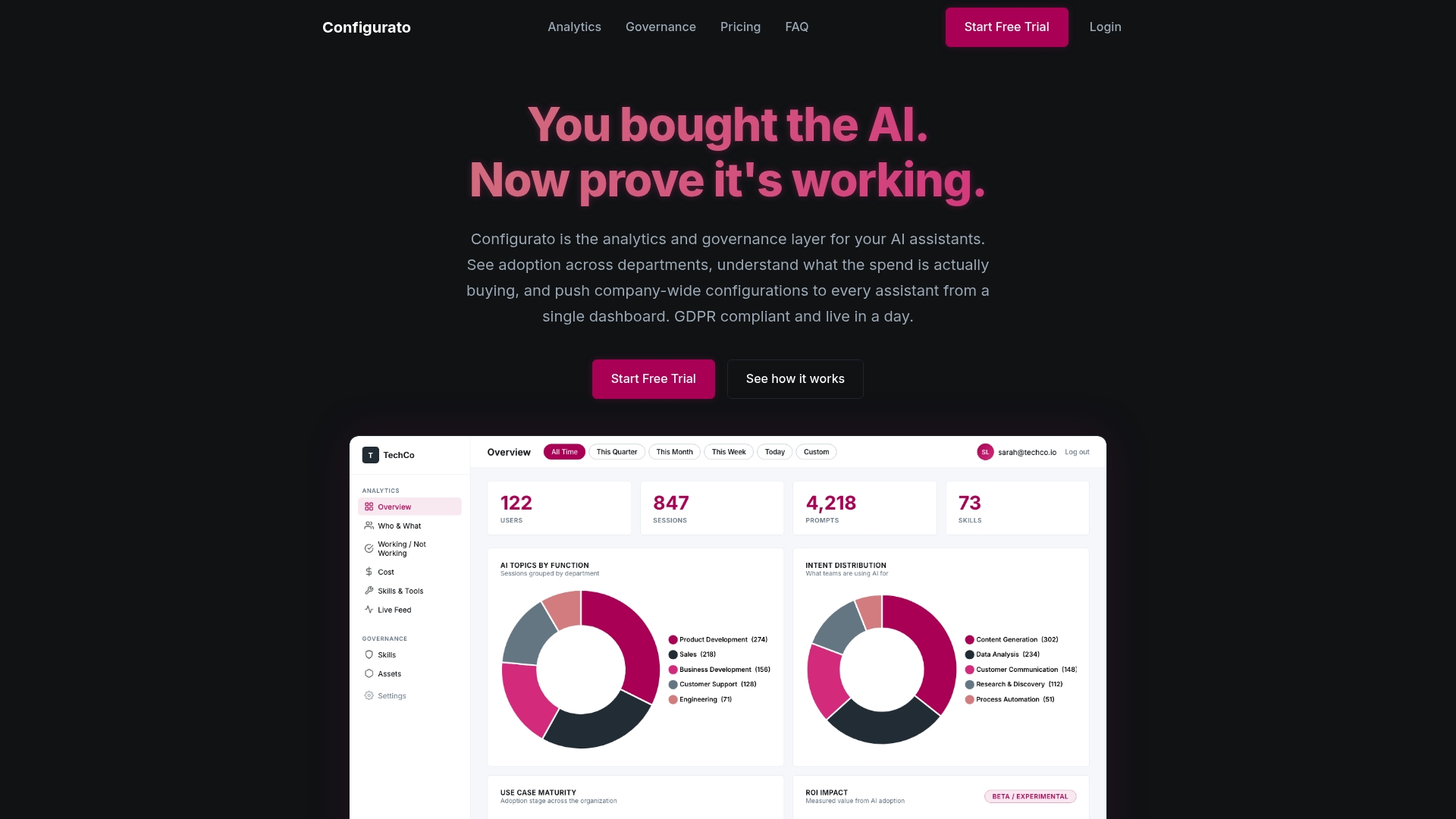
That’s where the Configurato platform comes in. Tekkr’s Configurato embeds your company’s processes, quality standards, and domain knowledge directly into your AI assistants, so output is aligned before it reaches your team. The governance layer operates agent-to-agent in the background, giving your Agent Stewards real visibility into what’s working and where the gaps are. If you’re serious about moving from AI adoption on paper to AI advantage in practice, Configurato gives you the infrastructure to make that happen.
Frequently asked questions
What is the difference between assistive and agentic AI assistants?
Assistive AI supports users with suggestions and recommendations while humans retain decision authority, whereas agentic AI has the authority to execute tasks autonomously within defined policy constraints. Gartner projects that over 50% of enterprises will shift to agentic, outcome-focused workflows by 2028.
Why do AI assistants fail in enterprise environments?
They most commonly fail because of edge cases, process misalignment, and complex multi-turn task handling. Research shows that agents produce wrong answers 42% of the time and time out 14% of the time in demanding multi-step scenarios.
How can enterprises evaluate AI assistant accuracy and cost?
Organizations should run their own evaluations using representative real-world tasks rather than relying solely on published benchmarks, comparing accuracy, latency, failure rates, and total cost. For reference, benchmark data shows significant cost variation, with Devin at $2.40 per 1,000 lines versus Copilot at $0.19.
What governance models are recommended for large-scale AI assistant integration?
The Agent Steward model, with clearly defined policies, control planes for identity and access management, and regular audit cycles, is the approach Gartner and Forrester recommend for safe, scalable AI assistant deployments.